
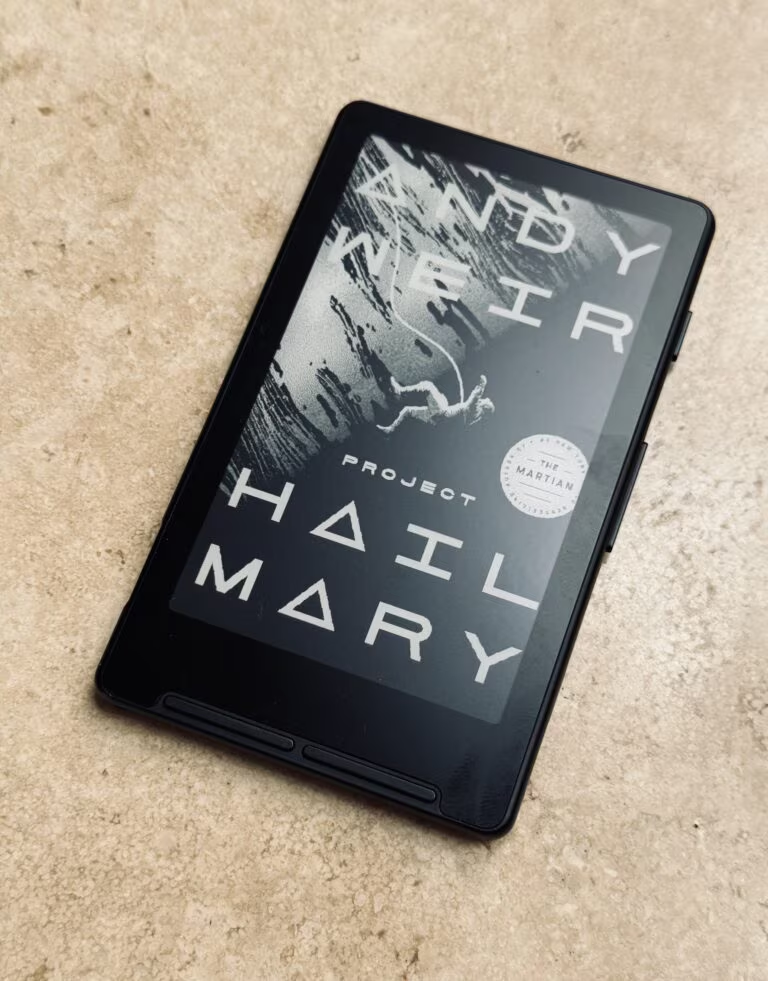
I was parked in the cell phone lot at SFO last week, waiting on Loni’s flight, and I got through two chapters of Project Hail Mary before her text came in. Not on my phone; on a device that weighs less than a deck of cards and lives in my jacket pocket.
That device is the XTEINK X4, a pocket e-reader I very nearly sent back. Today the company shipped its successor, the X4 Pro, and it closes the one gap that kept the original from retiring a Kindle I have owned since 2021.
What is actually new
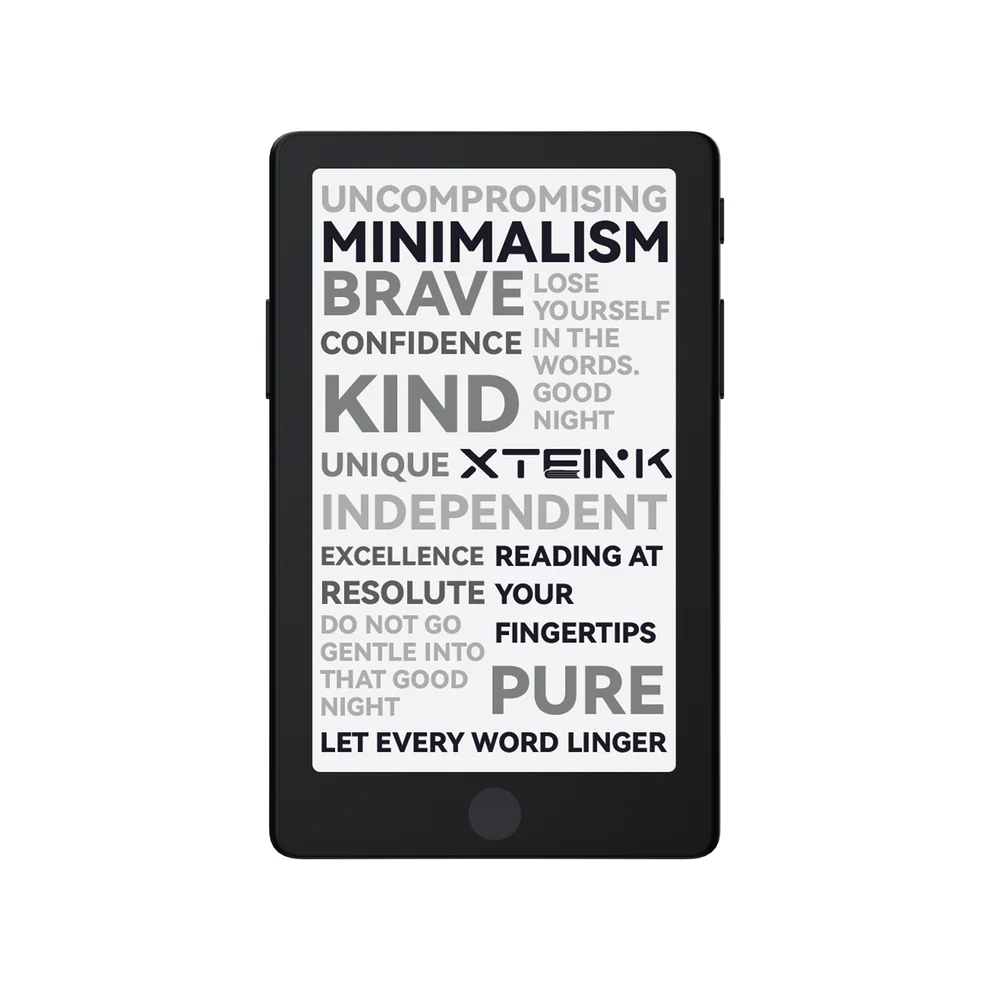
Two things, and they are the two things owners have asked for since the original shipped: a touchscreen and a front light.
The light is the one that matters (and many are poo-pooing the idea of the touchscreen). It is dual tone, so you can shift between warm and cool, which means the device finally works in a dark room. The touchscreen sits on top of the physical page-turn buttons rather than replacing them, so you can tap, swipe, or click.

The rest is familiar. A 4.3-inch E Ink display, 72 grams, 5.95mm thick, 16GB expandable to 256GB by microSD, and an 1100mAh battery that is close to double the original’s. It sells for $99 direct from XTEINK, which at launch is the only place carrying it, though I do see some sellers on AliExpress (caution advised).
The reviews that went up this morning are broadly positive. The Verge called it the best version of Xteink’s tiny e-readers. TechCrunch reported three weeks of daily use still sitting at 60 percent battery. Lifehacker was warmer still.
They are all reviewing the device. I want to talk about what it replaces.
Amazon walked away from this form factor. XTEINK just picked it up.
Here is the part that struck me as I was writing this post.
In October 2024, Amazon discontinued the Kindle Oasis. It was the last Kindle with physical page-turn buttons, and there has been no sign of a replacement since. Good e-Reader put it plainly: Amazon will never release a Kindle with page-turn buttons again. As recently as February, Android Authority ran a piece headlined “Dear Amazon: It’s 2026 and I still want a new Kindle Oasis.”
The Oasis formula was specific. Physical buttons, a warm front light, and a shape you could hold in one hand for an hour without your wrist filing a complaint. I bought mine in 2021 for $239. It still works beautifully. It also stopped receiving software updates from Amazon, which puts it on a clock I do not control. Nevertheless: I will absolutely not be giving mine up any time soon.
Now look at what the X4 Pro ships with. Physical page-turn buttons. A warm and cool front light. One-handed operation. Seventy-two grams.
That is the Oasis recipe in a smaller shell, from a company still actively shipping it, for well under half of what I paid.
I am not going to tell you the X4 Pro is a better device than the Oasis. It is probably not for most casual readers. Smaller screen, lower resolution, no waterproofing, and none of Amazon’s library behind it. But the Oasis is a dead end and the X4 Pro is not, and for the narrow job of reading one-handed in a dark room, the gap is a lot smaller than the price difference implies.
For what it is worth, we have been covering this category on Stark Insider for a while. I reviewed the Kindle 3 here in 2010. Sixteen years later the interesting hardware is coming from a company most people have never heard of.
Everyone else went bigger. XTEINK went the other way.
Look at where this category has spent the last three years. Amazon’s flagship is the Kindle Scribe, an 11-inch slab you write on. reMarkable’s Paper Pro is 11.8 inches. Boox sells the Note Air4 C at 10.3. The marketing, the margins, and most of the engineering have gone toward bigger screens, styluses, and note-taking.
XTEINK went to 4.3 inches and 72 grams.
I own a Scribe Colorsoft and I like — love — it enormously, but I know exactly where it lives: on a desk, in a bag, at home. It is a wonderful object that requires a decision. You take it somewhere on purpose.
The X4 requires no decision at all. It is already in the jacket. That is the whole argument for going smaller, and it is why the small one gets used more, by a wide margin.
There is an obvious gap in the Kindle family here. Amazon sells a 6-inch base model, a 7-inch Paperwhite, and an 11-inch Scribe. It sells nothing that disappears into a pocket. Every serious player raced upward into tablet territory, and in doing so left the bottom of the market completely unattended. XTEINK walked in and took it.
The readability objection is mostly wrong
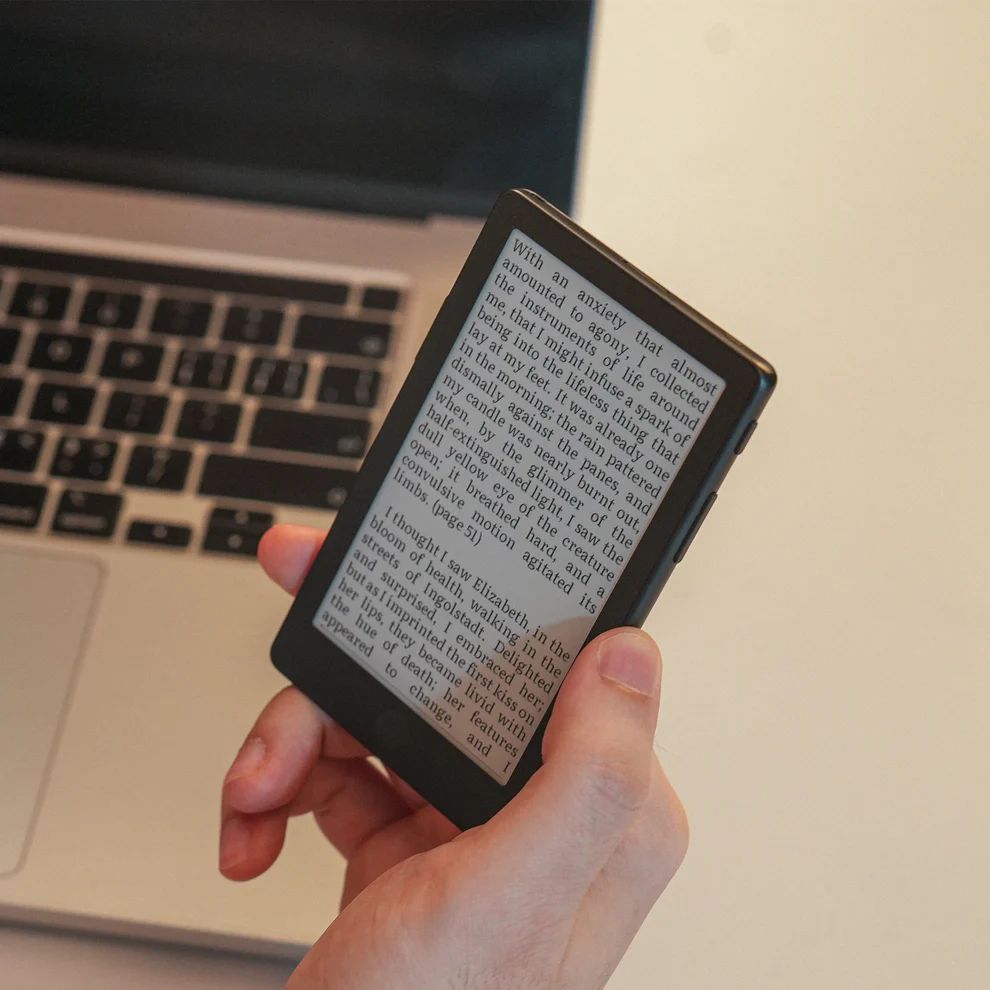
The most common thing people say about these tiny readers is that the screen is too small to read comfortably. I assumed the same thing before I owned one.
It is wrong, and the reason is almost embarrassingly simple. You set the font size.
Set the type on a 4.3-inch X4 to the same physical size as the type on your Kindle or Kobo, and the words are the same size. Your eyes cannot tell the difference, because there is no difference. The letters are not smaller. There are simply fewer of them on each page.
What you actually trade is page turns. You flip more often. On the X4, with its physical buttons, that is a thumb click, and it folds into the rhythm of reading inside of about ten minutes.
Several reviewers have reported that the small screen forces you to hold the device closer to your face. After a month of daily use, that has not been my experience, and I think the reason is that I am not reading tiny type. I am reading normal type on a small page.
There is a real caveat attached to this, and it matters enough that I have given it its own section below: the wider range of font sizes came from third-party firmware, not from XTEINK.
It is a second reader, and the reviews keep grading it as a first
The other thing this morning’s launch coverage gets wrong is the mission.
TechCrunch’s reviewer noted that reading the Odyssey on it would be “pretty annoying” because of the line breaks. That is probably true. It is also beside the point.
Although I have to admire the timing of the example. As I write this, The Odyssey is the single most downloaded book on Project Gutenberg, with 7,502 downloads yesterday. It does not appear anywhere in Gutenberg’s thirty-day top ten, which tells you that is a spike and not a trend. Christopher Nolan’s adaptation opened on July 17, shot entirely with IMAX film cameras, and posted the biggest domestic debut of his career at roughly $124 million. A few thousand people walked out of an IMAX screening and went looking for Homer. Some of them are going to read him on something that fits in a pocket.
I own three e-readers and they do genuinely different jobs. A Kindle Oasis for long sessions at home, typically while I wait for Claude Code or Codex to finish a turn. A Kindle Scribe Colorsoft for manga and graphic novels, where color e-ink has a soft, painterly quality that a backlit tablet cannot reproduce, and which is currently carrying me through a methodical run at Junji Ito (Tomie! Uzumaki!). And the X4 for everywhere else.
Everywhere else turns out to be most of my reading. The CVS line. The Caltrain. The waiting room. Twenty minutes in a cell phone lot at SFO. Those are the minutes that used to go to my phone, which is another way of saying they used to go nowhere.
Serious readers are going to keep a primary device, and they should. The X4 is not competing with it, I don’t think. Rather, it is competing with the phone in your other pocket, and that is a fight it wins without much trouble.
This is roughly where the enthusiast community has landed too, and it is worth hearing it from someone who has spent real time with one:
Why I do not use a case
Here is the detail that nobody puts in a spec sheet, and it is one of my favorite things about this device.
When the X4 is idle, it shows the cover art of whatever I am currently reading. So it is not a blank slab sitting on the side table. Right now it is Project Hail Mary, sitting face up on the side table, quietly asking to be picked back up. Before that it was The Shining, which spent a week inviting me back to the Overlook every time I walked past it. It looks like a paperback left face up on the arm of a chair.
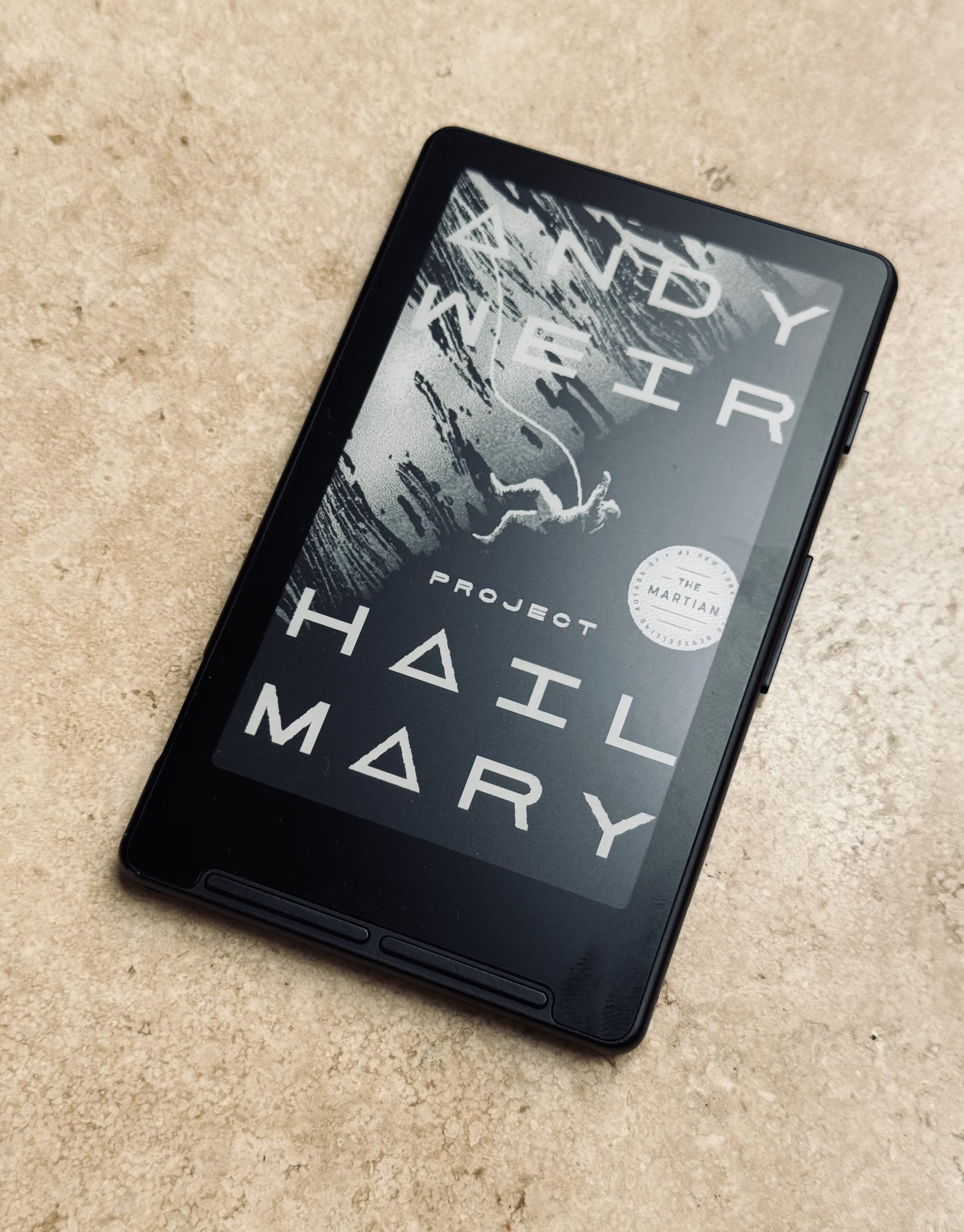
That is why I do not put a cover on mine, and why I would think twice about the magnetic case XTEINK is bundling with launch orders. A case hides the one thing that makes the object feel like a book instead of a gadget.
The reason this works at all is the part of e-ink that people forget. The display is bistable, which means it holds an image using no power whatsoever. The cover is not being kept alive by the battery. It is simply sitting there, the way ink sits on paper, until something tells it to change. Your phone cannot do that. Put a phone face up on the table and you get a black rectangle.
It is a small thing. It is also the difference between a device you have to remember to pick up and an object that keeps asking. As a fan of cover art of any kind (film, music, books), this is, for me at least, a welcome aesthetic.
The community built the good parts
Now the section this morning’s coverage skipped.
The stock XTEINK software is thin. Serviceable in my experience, but overall just okay. Early X4 owners found it shipped with two text sizes and awkward file transfer, so the community went and wrote its own firmware. CrossPoint (CrossPoint on Github) is open source, built specifically for XTEINK’s hardware, and it is what most owners end up flashing. It is where the font control I described above comes from. It is also how I load books: CrossPoint runs a small web server on the device itself, so I open a page in my browser over WiFi and upload EPUBs through a menu; optimization for the XTEINK device is automatic.
In May, XTEINK began blocking third-party firmware installation in some regions. The Verge covered it. Good e-Reader covered it. Owners were not delighted and I can understand why given this device’s ultimate mission at satiating demand for open EPUB-based e-ink readers for the masses.
The X4 Pro’s lead marketing bullet today reads “Unlocked Firmware Freedom: a pure developer operating system with zero third-party restrictions.” The checkout page carries an “Unrestricted Firmware Guarantee” badge.
I will take the reversal, and I think it is the right call. I would also note who earned it. The reason this hardware is worth writing about at all is a volunteer project on GitHub, and the company spent part of this spring trying to lock that project out before turning it into the headline feature.
If you buy one, budget an evening for setup and plan on flashing firmware. A quick note on flashing: it’s super simple. You do it from the CrossPoint web site. Just connect your XTEINK, select device type and OS, and click flash and it’s done in a… flash. Quite easily one of the easiest firmware upgrade experiences I’ve ever… experienced.
But… about that power connector…
The X4 Pro drops USB-C for a magnetic pogo-pin connector, presumably in service of that 5.95mm thickness. XTEINK includes a pogo-to-USB-C adapter in the box. It does not include a cable, which is worth knowing before you order. And if you lose the adapter you cannot charge the device at all, which was never a risk on the original X4 and its ordinary USB-C port. Spares are inexpensive. Buy two and leave one in the car.
A few other things to know going in. There is no library ebook integration, so protected EPUBs from Libby will not load. Transferring books is better under CrossPoint but still not seamless. The panel is 220 PPI, which reads soft next to a current Kindle.
Where the books come from
The Libby limitation sounds worse than it is, because the thing this device is best at happens to be the thing that is free.
Project Gutenberg is a library of 77,687 free ebooks, mostly older works whose U.S. copyright has expired. No fees, no registration, and critically for a device like this, no DRM. The EPUBs download and load without a fight, which is exactly the opposite of the Libby experience.
The current top downloads are a decent argument for the whole category: Moby Dick, Pride and Prejudice, Crime and Punishment, Romeo and Juliet, The Adventures of Sherlock Holmes. Load a dozen of them and you have filled a $99 device with more reading than most people get through in a year, at no cost.
This is also where the front light earns its keep. Public domain classics are exactly what you read in twenty minute fragments, and fragments happen in waiting rooms, on trains, and at night.
One disclosure about this piece. I have been living with the X4, not the X4 Pro. I have not yet held the new one, though I placed an order this morning. So everything above about the front light and the touchscreen comes from XTEINK’s own specifications and from the reviews that went live this morning. What I can tell you firsthand is what a month with the X4 taught me about this form factor, and precisely what the missing front light was costing me.
I will also say this, since the product page is currently thin on genuine feedback: judge this device by the independent reviews and the owner community, not by launch-week testimonials.
So should you buy one
If you already read on your phone and wish you did not, yes. If you want one device to handle all of your reading, no, buy a Kindle or Kobo.
And if you own an Oasis and have been quietly wondering what happens the day Amazon finally turns the lights off on it, this is the first thing I have seen that answers the question.
The X4 Pro is available now direct from XTEINK. The original X4, which is what I have been carrying, is available on Amazon, and you can check Amazon for X4 Pro availability as stock reaches retail.
RELATED POSTS AND RESOURCES

Disclosure: Stark Insider participates in the Amazon Services LLC Associates Program. Links to Amazon in this article are affiliate links, and we may earn a commission on qualifying purchases at no additional cost to you. We bought our own X4.