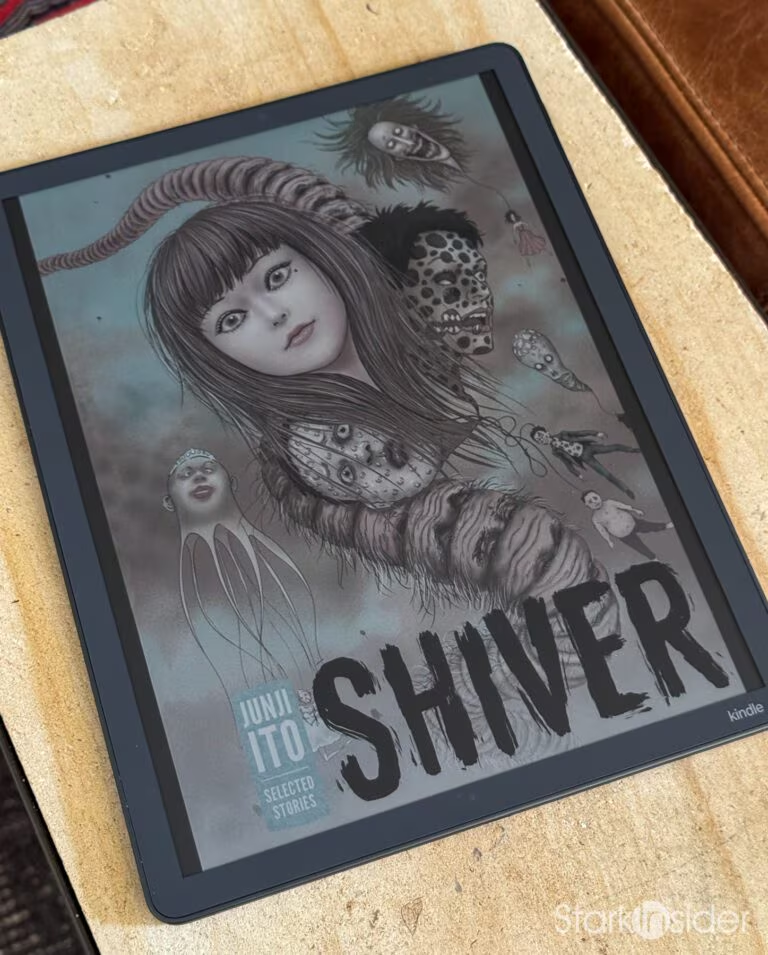
Kindle Scribe Colorsoft

Amazon | Kindle Scribe Colorsoft (2025) | 2025 | E-Reader | $629.99
- Best dedicated manga canvas short of print: 11 inches, no zooming, no squinting
- 300 PPI monochrome keeps Junji Ito's linework and screentone razor sharp
- The muted Kaleido 3 palette flatters ink-heavy art instead of fighting it
- Pen included, with eraser end, programmable grip button and 10 replacement tips
- No eye strain across long sessions, unlike a backlit tablet
- Amazon's bookstore plus working Send to Kindle and USB sideloading
- The most expensive Kindle ever made at $629.99, and rarely worth full price
- Color drops to 150 PPI and looks soft on detailed color pages and covers
- No water resistance, which is hard to explain at this price
- Amazon's walled garden rules out VIZ, Shonen Jump and other reading apps
- Storage is fixed at purchase, where rivals take an SD card
- Onyx BOOX Note Air 5 C matches the panel spec and runs full Android for $100 less
Quick Verdict
After two months of daily use, the Kindle Scribe Colorsoft is the device I didn’t know I needed. And now, to my surprise, would sorely miss it if it magically went up in a poof of smoke. Sure, it’s not perfect, and the price is hard to swallow, but it does something no other single device in my collection can: it gives me a big, paper-like canvas for reading, writing, and color annotation without ever lighting a backlight into my eyes like our tablets and phones do. If you read illustrated content, mark up PDFs, or you’ve been curious whether color e-ink has finally arrived, this is a strong hybrid contender that can do all that plus serve as a first class Kindle reader. If you only read text, save $130 and get the mono Scribe, or even the base Kindle or Paperwhite; all solid options.
Amazon’s first color e-ink notebook: an 11-inch Kaleido 3 panel with the Scribe Pen in the box, in Graphite or Fig. The link below is the 32GB model, which is the one to get.
Why I Bought It
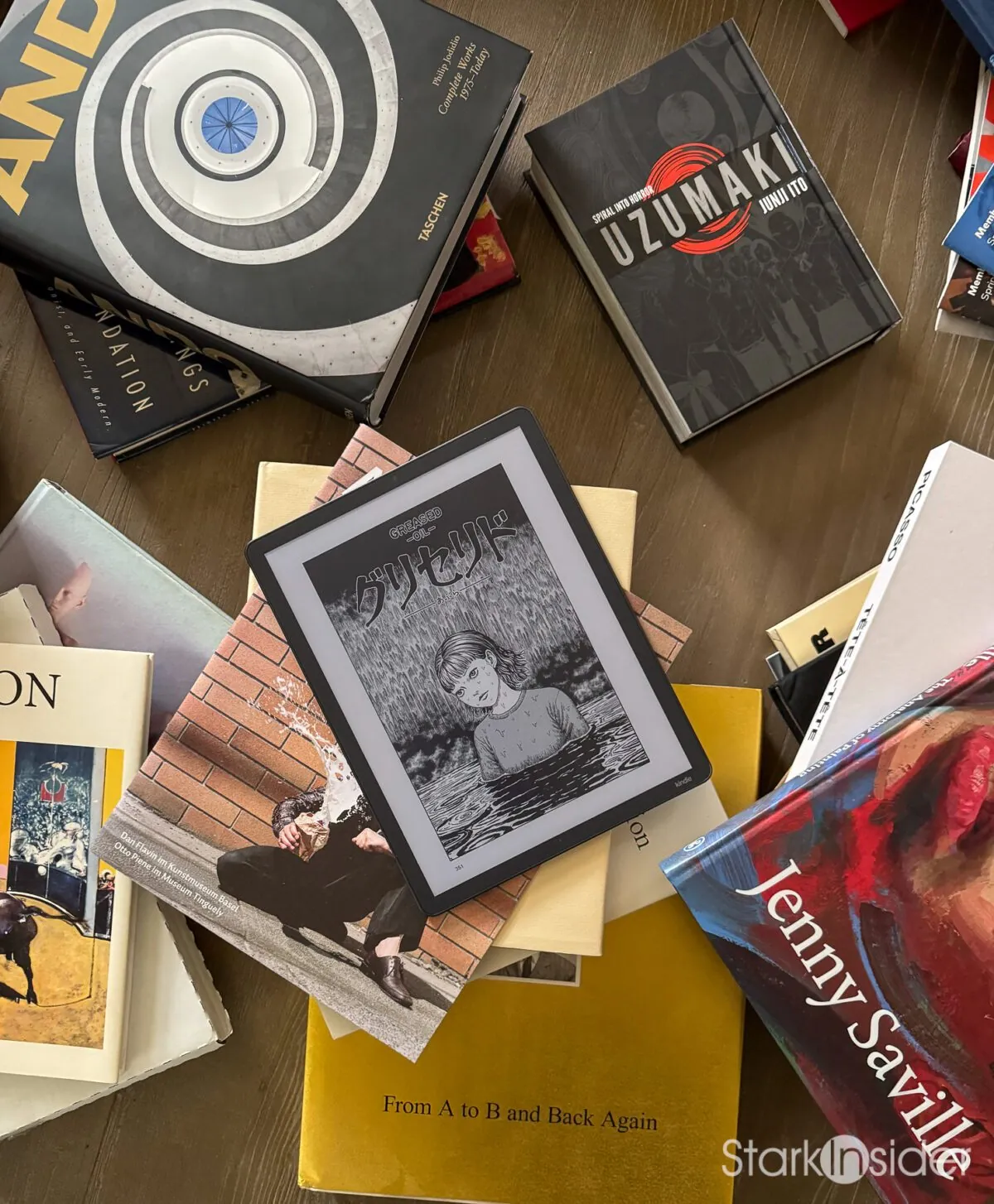
I already have a XTEINK X4 Pro for pocket reading, a Kindle Oasis for novels, and a reMarkable Paper Pro that was supposed to replace Loni’s paper notebooks, but ended up sort of broken. What I didn’t have was a big canvas that could handle color. The X4 Pro is brilliant for text on the go, but at 4.3 inches it’s obviously not built for illustrated pages or PDF markup. The Oasis is a great novel reader, but it’s black and white only. The reMarkable has a beautiful writing surface, but no bookstore, no color, and after months of ghosting issues, it had landed on my desk as a massive Post-It note and occasional birthday card for Loni.
What I wanted was something in between. A device big enough for a full magazine page, sharp enough for long-form reading, and capable of showing color without strapping a backlight to my face. The Colorsoft checked all three boxes on paper. I bought the 64GB model in late June 2026 during a Prime Day sale for $519.99 USD (list is $679.99). On sale the extra storage was easy to justify. At list price I’d take the 32GB and never think about it again, which is why that’s the one I point people to below.
Here’s what I expected: a reading device that could also handle occasional annotation. What I actually reach for, two months in, is the annotation device that also happens to be my best reading experience for anything with pictures. The color shifted it from a nice-to-have to the device I pick up first.
About That Price
Let’s address the elephant. At $629.99 (32GB), the Colorsoft is the most expensive Kindle Amazon has ever made. That’s much more than a Kindle, more than a Paperwhite Signature, and within striking distance of an iPad mini. It’s a lot of money for a device that does fewer things than an iPad.
But that framing misses the point. The Colorsoft isn’t competing with an iPad on features and its accompanying distractions. It’s competing on a specific experience: paper-like reading and writing with zero backlight, zero notifications, and zero eye strain over long sessions. If that experience matters to you, there’s no iPad substitute. If it doesn’t, no spec sheet will convince you.
The Display: Color E-Ink, Finally Done Right?
The display is the whole story, so let’s get into it. The Colorsoft uses an 11-inch Kaleido 3 panel from E Ink. In black and white, it runs at 300 PPI, which is as sharp as any premium Kindle. In color, it drops to 150 PPI, which is the trade-off inherent to the color filter array approach: you lose half the resolution to gain color. The Sharp oxide (IGZO) backplane is a first in a Kindle, and it’s what makes the refresh speed tolerable. Color pages take about one to two seconds to fully render, which is slower than a mono Kindle but noticeably faster than the reMarkable Paper Pro’s Gallery 3 panel.
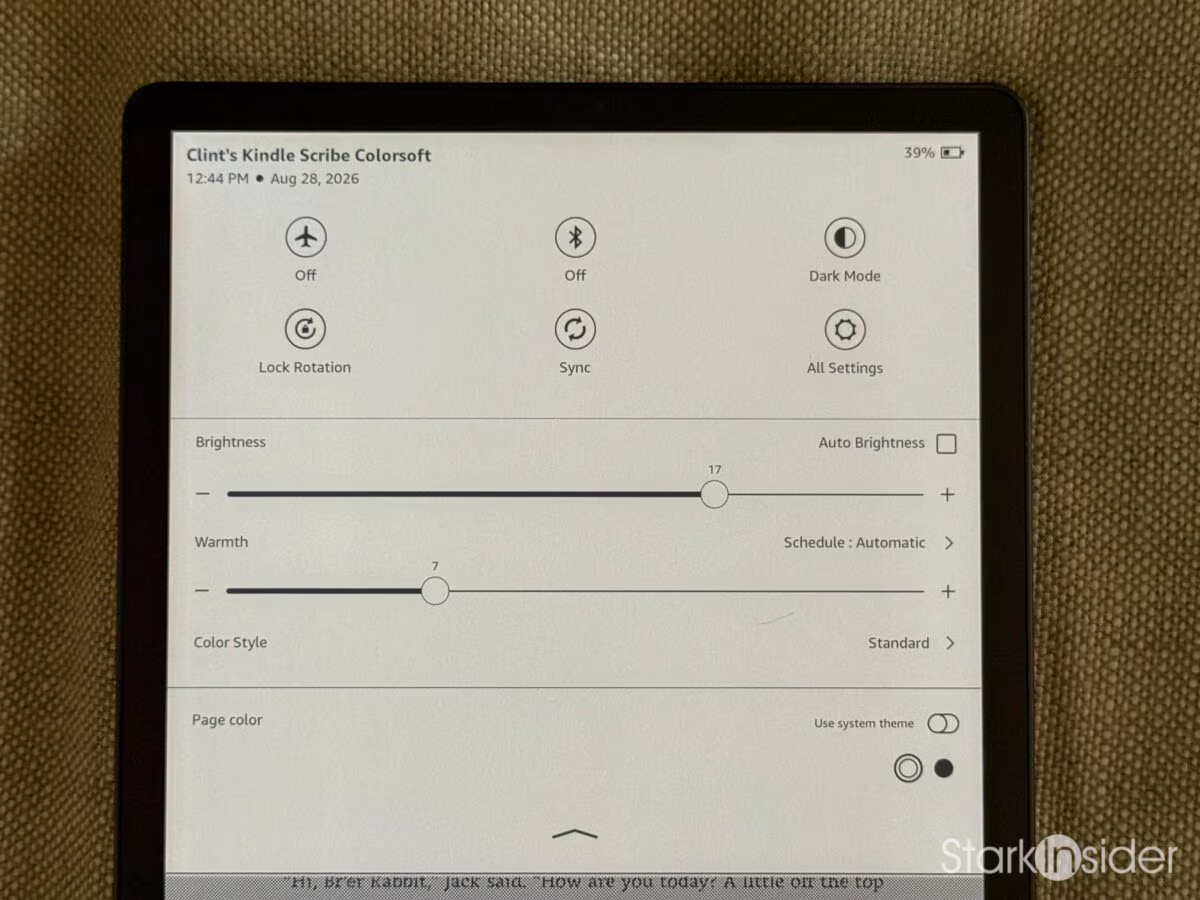
The front light uses miniaturized LEDs behind a flush bezel, with adjustable warmth. Because the color filter layer absorbs light, the front light matters more here than on a standard Kindle. You’re not just illuminating the page, you’re compensating for what the color filter eats. The slider ranges from 0 to 24. During the day I keep it around 15 to 17. At night I drop to around 8, sometimes lower depending on ambient light. There’s an Auto Brightness checkbox, which I’ve had enabled and off at different points, but it tends to hover around wherever you set the slider rather than going fully automatic. At first that was annoying, but over time I’ve gotten used to it. So it works for me. In practice, the page looks natural in anything from bright daylight to a dim bedroom.
The texture-molded glass is the touch I didn’t know I wanted. It gives the pen something to bite into, a slight resistance that feels closer to paper than the smooth glass on older Scribe models. It’s not reMarkable-level paper feel, but it’s closer than I expected from a Kindle.
Now, the color. Let’s be up-front about what it is and what it isn’t. This is not iPad color. It’s not OLED color. It’s muted, soft, almost (beautiful) watercolor. A sunset photo looks like a memory of a sunset rather than the sunset itself. If you’re coming from a backlit tablet expecting vivid saturation, you’ll be disappointed on first impression.
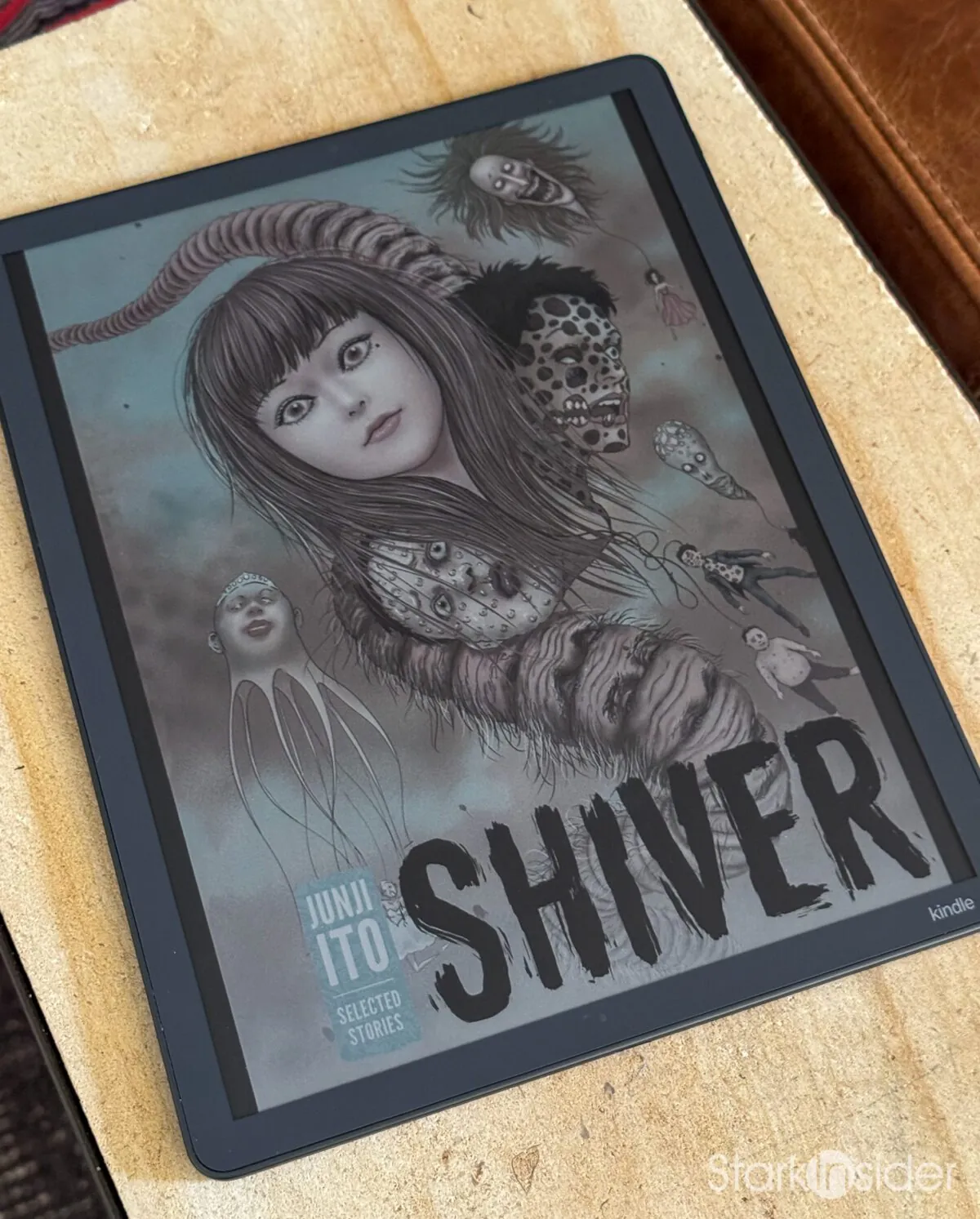
But here’s where it surprised me. For manga, specifically for Junji Ito’s ink-heavy horror work, the muted palette is a feature, not a bug. Ito draws in dense blacks and fine linework, and the Kaleido 3 panel renders those blacks deep and rich. On a page from “Deserter,” the linework almost vibrates against the off-white background. On a phone or tablet, the backlight makes the same page look clinical. On the Colorsoft, it looks like a printed page from a tankobon volume. The color isn’t doing the heavy lifting there, the paper-like quality is, and the color adds just enough warmth to make it feel like ink on paper rather than pixels on glass. After reading manga and a few comics and graphic novels like Frank Miller’s iconic “Sin City” and the relatively new Universal Monsters Collection (“Invisible Man”, “Phantom of the Opera”, etc.) I was convinced. There’s truly no turning back from this glorious color e-ink presentation.
Color e-ink stopped being a party trick somewhere in the second month.
Reading on the Scribe Colorsoft
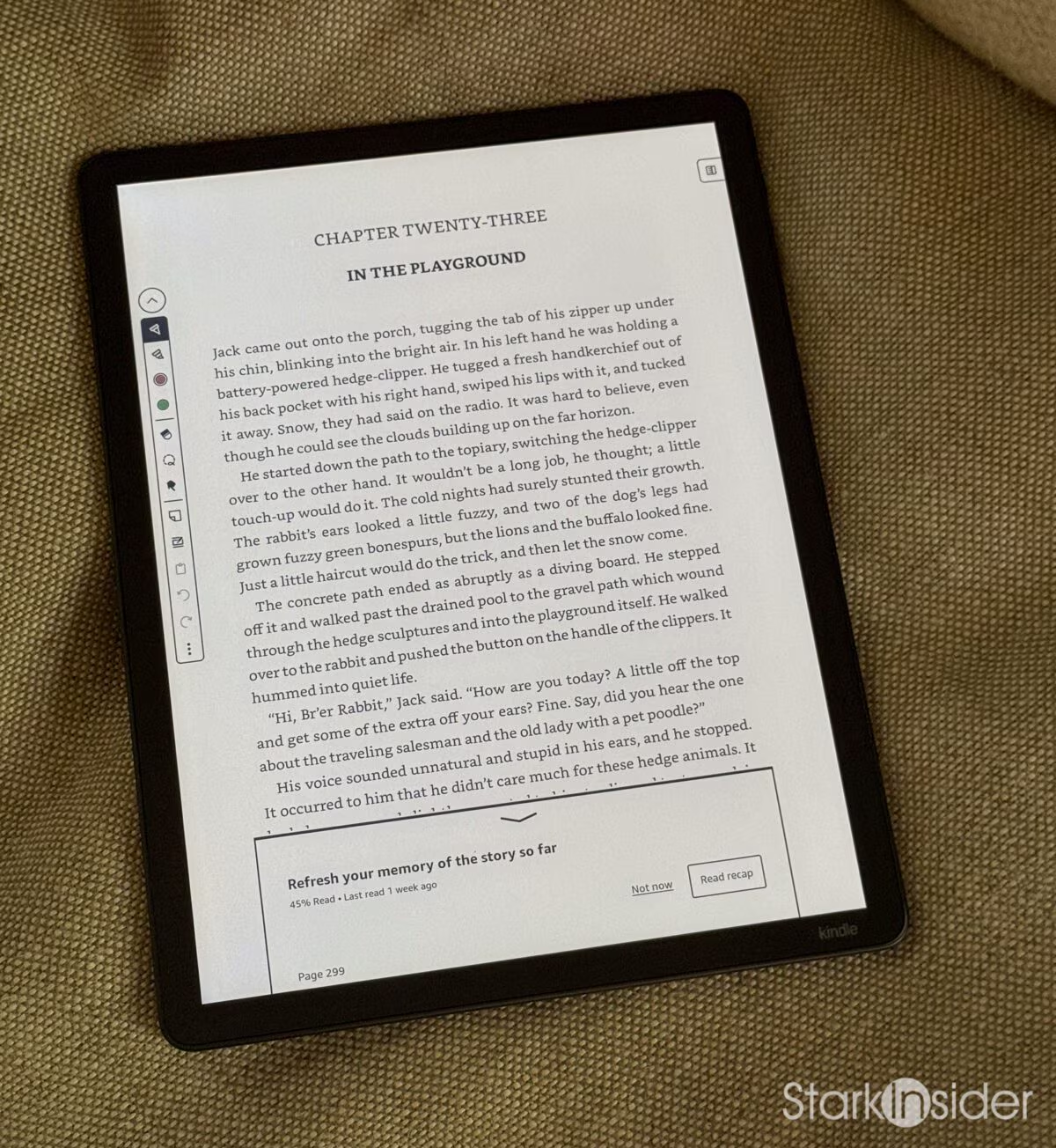
This is where two months of daily use sealed the deal. A day-one review can tell you the screen looks good. It can’t tell you whether it still looks and feels right post-honeymoon phase.
For text, the Colorsoft is a premium Kindle, full stop. 300 PPI monochrome is as sharp as any e-reader I’ve used. Over the first two months I read “The Shining,” “Animal Farm,” (wow, so relevant today) “Lord of the Flies”, and the charming and thrilling “Project Hail Mary,” alternating between the Colorsoft and my old Oasis, which is still awesome for one-handed reading on the couch. The Oasis size is great for chilling. Definitely feels more like a book. But the Colorsoft offers more text on a single page, so that can be fewer page turns. Both great, in different ways. If you like the Kindle’s or Kobo’s 7-inch screen, the 11-inch Colorsoft feels like a hardcover by comparison. I’ve come to like the bigger page for reading at a desk or on a couch, but it’s not a pocket device (and it’s not trying to be).
For PDFs, the 11-inch screen is the real advantage. A full letter-size PDF fits without zooming, which means you can read academic papers, technical manuals, or sheet music without the pinch-and-pan dance. Color highlights and annotations survive the round trip when you export, which is the whole reason to use a color Scribe over a mono one.
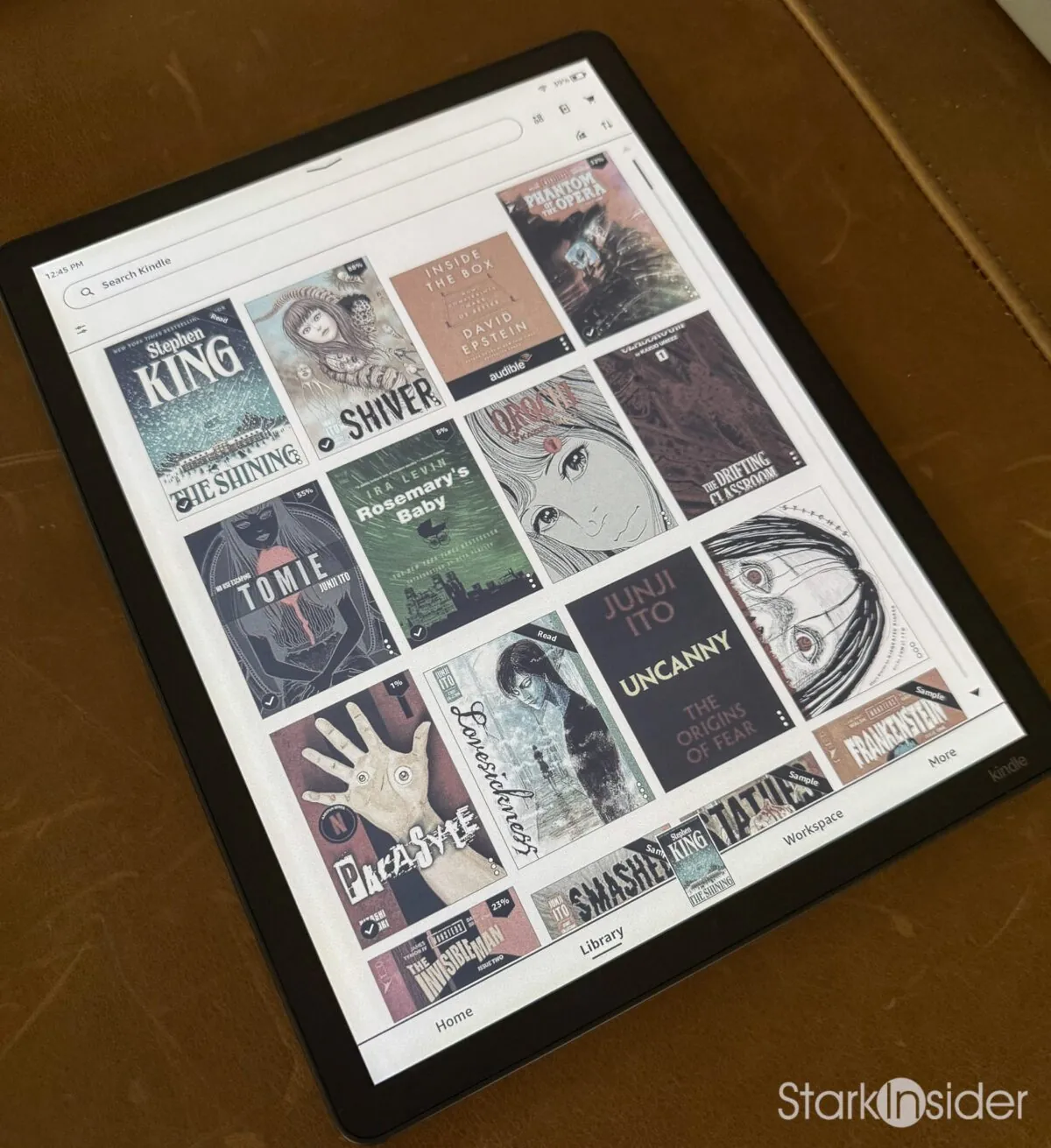
For illustrated work, the Colorsoft stands out. Manga, comics, art books, anything with color plates. The muted palette I mentioned earlier works in the device’s favor here. A coffee table art book looks like a coffee table art book, not a clinical scan. The page turns are slower than text-only reading, maybe a second and a half for a full color page, but you adjust to it quickly. It’s the pace of reading a physical book, not the pace of swiping through Instagram.
Battery and the Walled Garden
For battery, Amazon rates it at 8 weeks reading and 2 weeks writing. In real use, with a mix of reading and writing, I got two to three weeks before needing a charge. That’s with daily use, maybe an hour or two a day. Heavy writing days drain it faster, as you’d expect. It’s not the 8 weeks Amazon claims, but it’s plenty for a device that charges via USB-C in a couple of hours.
The one real friction point is Amazon’s walled garden. Getting content onto the device means Send to Kindle, which works fine for EPUBs and PDFs but strips out some formatting. Calibre works if you’re willing to manage it, and plain USB drag-and-drop works for PDFs. But if you’re used to the openness of an Android-based reader like the BOOX, the Kindle’s restrictions are noticeable. It’s a trade-off: the reading experience is better, but the file management is more locked down. If you buy books on Amazon, subscribe to Kindle Unlimited or Comixology Unlimited then the Colorsoft is a natural fit.
What works:
- The 11-inch page fits a full book page, a technical PDF or an illustrated spread without zooming
- 300 PPI monochrome is genuinely sharp, matching every other premium Kindle
- Color highlights and annotations survive the trip back out to PDF, which is the whole point
- No eye strain across long sessions, unlike a backlit tablet
- Real-world battery: two to three weeks of daily mixed use, not the rated 8 weeks, but plenty
What does not:
- 150 PPI color is noticeably soft on detailed color pages and covers
- Page turns on large color PDFs take 1 to 2 seconds, which is fine for reading but not for rapid browsing
- Amazon’s walled garden. Send to Kindle versus Calibre versus plain USB. No sideloading apps
- No water resistance at this price feels like an omission, especially when the Paperwhite has it
Writing and Annotation
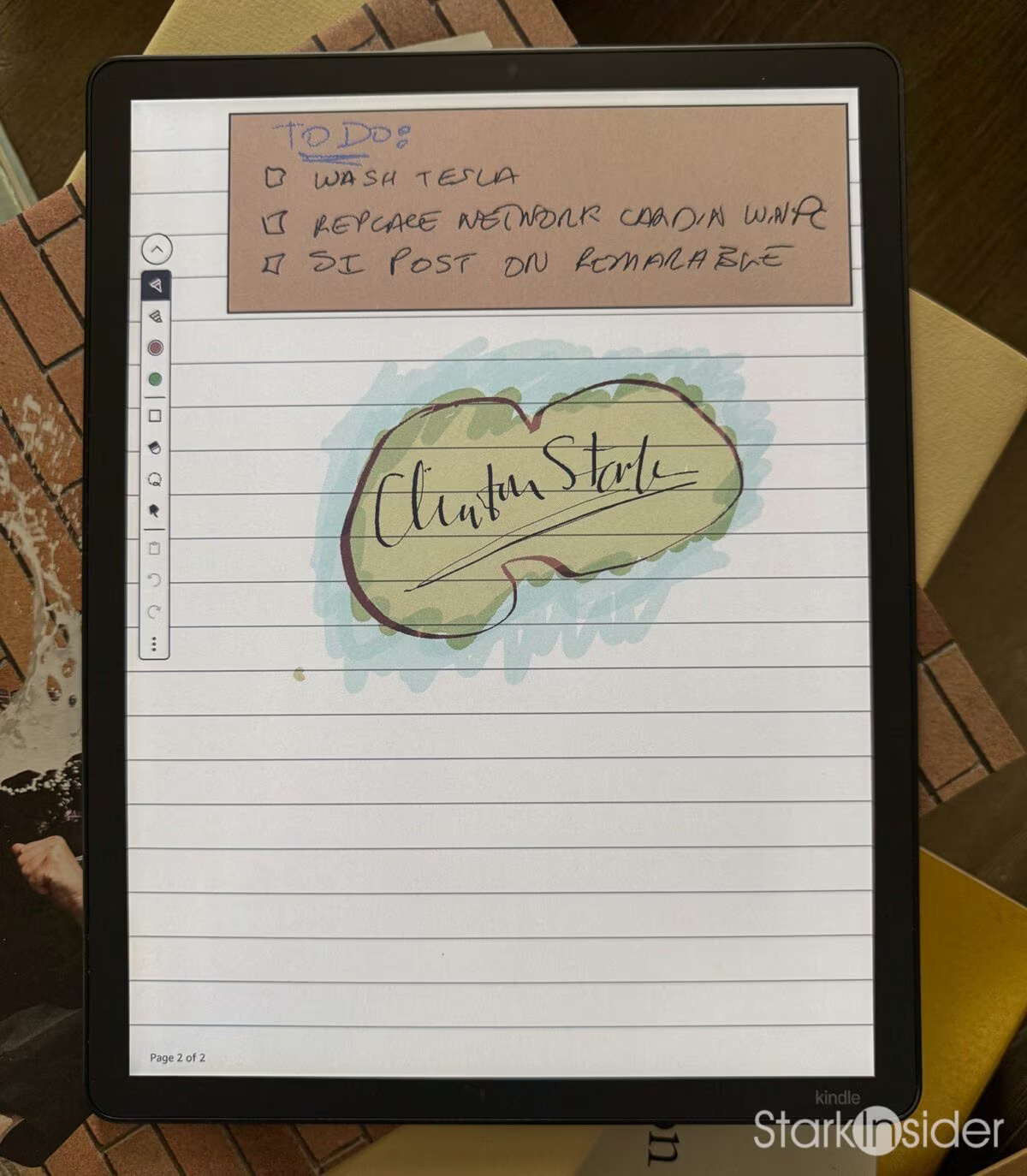
The Scribe Pen comes in the box, and it’s a serious tool. Passive, no battery, no charging. One end writes, the other end erases. There’s a programmable grip button you can set to toggle between pen and highlighter, or pen and eraser. You get 10 pen colors and 5 highlighter colors, plus 10 replacement tips and a nib tool in the box. The fact that Amazon includes the pen rather than charging extra for it is worth noting, because reMarkable charges $129 for the Marker Plus.
The texture-molded glass makes a real difference here. Writing on the original Scribe felt like writing on glass. Writing on the Colorsoft feels like writing on slightly textured paper. It’s not the same as the reMarkable, which is still the benchmark for paper feel in my experience, but the gap narrowed more than I expected. The pen has a slight resistance that makes writing feel deliberate rather than slippery.
Latency is good, not great. There’s a tiny delay between the pen touching the glass and the ink appearing, maybe 30 to 40 milliseconds. It disappears in use. After the first day I stopped noticing it. The reMarkable is faster here, but not enough that it changes the writing experience for notes or annotation. For drawing, the Colorsoft’s latency would be more of an issue, but this isn’t a drawing tablet and Amazon doesn’t market it as one.
I sketch on the Colorsoft, mostly. It’s quite good. Not quite reMarkable level. And the built-in app is nowhere near what you’d get from Procreate or Fresco on the iPad, especially in terms of artist tools, and layers and all of that, but it’s more of a secondary function that comes in handy.
Regardless, hardcore artists and creatives will likely want to stick with an iPad. The massive number of options for drawing apps is unmatched. It’s the gold standard, no question.
Amazon’s spec page lists AI tools for handwritten notes, including handwriting-to-text conversion and summarization. The software indexes your handwriting so you can search for keywords across all your notebooks. How well the recognition works depends on your handwriting, and Amazon does not publish an accuracy figure.
Amazon advertises support for popular cloud services for notebook import and export. You can pull a PDF from the cloud, mark it up, and push it back. The integration is clean and doesn’t require any special software on the other end. It’s the one area where Amazon’s walled garden has a door, and they left it open.
Where Color Actually Earns Its Keep
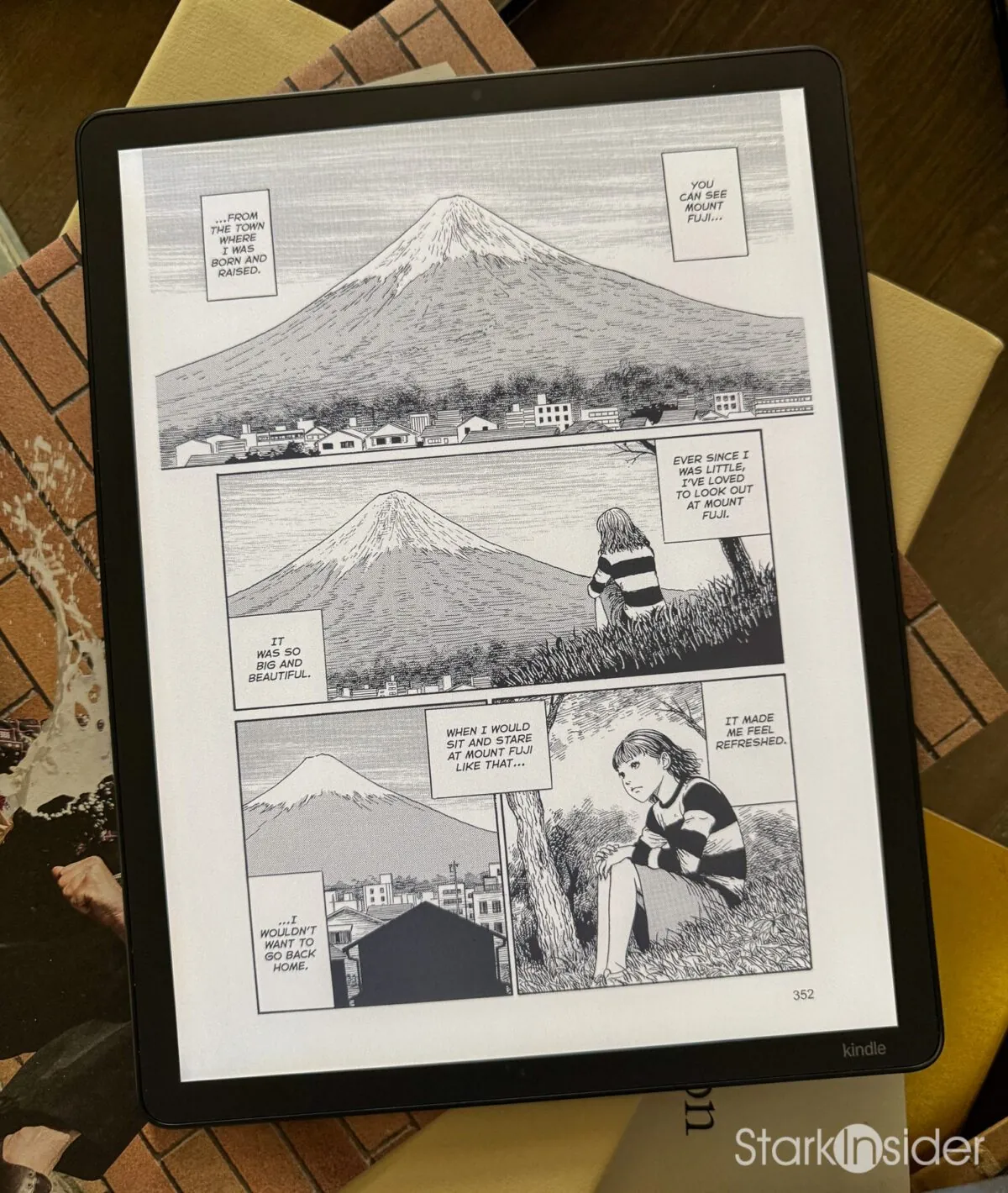
If there’s a single use case that justifies the Colorsoft’s existence, it’s illustrated content as we’ve discussed already. Not because color e-ink is perfect, but because it does something no other display technology can: it gives you a paper-like reading experience for color content without a backlight.
The muted Kaleido 3 palette gives illustrated work a warm, almost newsprint quality that LCD and OLED can’t replicate. A manga page on the Colorsoft looks like it was printed on slightly aged paper. A color photo in a National Geographic PDF looks like it was printed in a magazine. There’s a texture and warmth to it that a backlit screen strips away.
Junji Ito is the example worth naming, because his ink-heavy horror is exactly what the panel flatters. Ito works in dense blacks, fine linework, and the occasional shocking splash of color — if you’ve ever wanted to experience the joy of a manga jump-scare he’s your guy! On the Colorsoft, those blacks are deep and rich, the linework is crisp at 300 PPI in monochrome mode, and the color, when it appears, feels like ink soaking into paper rather than pixels lighting up. I discovered Ito through a random Libby library loan, “Deserter,” and that was the test case for whether manga worked on this device. It did. I went on to read “Shiver” and “Liminal Spaces Volume 1.” The experience is closer to reading the physical tankobon volumes than I expected. Something like “The Shining” is decent on the Colorsoft, but especially good on the XTEINK X4 Pro, where the intimacy and ability to visit the Overlook anytime is really special.
I’m not saying the Colorsoft is the best manga reader because of its color. I’m saying it’s the best manga reader because of its paper-like quality, and the color adds just enough to make it feel like print rather than screen. The color is the reason you buy it over the mono Scribe. The paper feel is the reason you buy it over an iPad.
The Competition: How It Stacks Up
The Colorsoft does not exist in a vacuum. Here are some alternatives and some brief thoughts on use cases.
Prices last checked August 28, 2026. Amazon pricing moves constantly, so check the current price before buying. The iPad mini rose $100 in June 2026 during the global memory shortage.
Kindle Scribe (3rd gen, non-color), $499.99
Same 11-inch body, same pen, same software. You’re paying purely for the Kaleido 3 panel and the oxide backplane. The question is simple: does color earn $130? For manga, comics, color-highlighted PDFs, and illustrated textbooks, yes. For text-only reading, no. The mono Scribe is the better value if you never touch color content, and it’s the device to buy if you’re on the fence about whether color e-ink is a gimmick. It’s not a gimmick, but you don’t need me to tell you that if you’re already reading text fine on a Paperwhite.
The call: If you read only text, the mono Scribe at $499.99 is the better buy. The $130 color premium is for people who read with their eyes, not just their words.
reMarkable Paper Pro, $629
The closest competitor on price, and the one I’ve actually lived with. The panel difference matters more than most comparisons suggest. The Paper Pro uses E Ink Gallery 3, which holds 229 PPI in both monochrome and color and reaches roughly 20,000 colors, versus Kaleido 3’s color filter that halves resolution to 150 PPI in color. Gallery 3 is richer and more saturated, but slower to refresh. That single trade-off explains most of the difference in daily use.
The bigger gap is ecosystem. reMarkable has no bookstore at all, which for manga or illustrated content is close to disqualifying. You can sideload, but you’re managing files manually every time. The Colorsoft sits inside the Kindle ecosystem, which means your library, your highlights, and your reading position sync across devices. That sounds mundane until you’ve lived without it.
I also hit the ghosting problem I will cover in full in an upcoming reMarkable Paper Pro review. Page transitions leave faint remnants of the previous page, sometimes bad enough to make the page genuinely hard to read. reMarkable support confirmed the issue and offered a discounted refurb. It’s a real problem on a $629 device, and it’s one the Colorsoft doesn’t have.
Worth knowing before you buy: reMarkable cut more than 200 jobs in April 2026 and replaced its CEO, its second round of layoffs in under a year. Coverage of the cuts points to falling sales, rising component costs and intensifying competition in the e-note category. That is not a prediction about the company, but the Paper Pro leans on a cloud sync service and a subscription tier, so it is a fair thing to weigh on a $629 device.
The call: The Colorsoft wins on ecosystem, refresh speed, and absence of ghosting. The Paper Pro wins on writing latency, and its screen is the best of any I’ve tested at simulating pencil on paper. For reading, the Colorsoft. For writing only, the Paper Pro, with eyes open about the company’s trajectory.
Onyx BOOX Note Air 5 C, $529.99
The Android power-user pick, and the most interesting threat to the Colorsoft. It runs the same Kaleido 3 panel spec, 300 PPI mono and 150 PPI color, on a 10.3-inch screen for $100 less. The difference is that it runs Android 15 with full Google Play, so VIZ Manga, Shonen Jump, and other useful apps all install natively. It takes an SD card up to 1TB, where the Kindle’s storage is whatever you bought. For a manga reader who wants app freedom and expandable storage, this is the stronger argument.
The trade-offs are real. BOOX’s software is messier than Amazon’s. The reading experience isn’t as polished. Battery life is noticeably weaker, partly because Android runs background processes the Kindle doesn’t. And there’s no Amazon library integration, which matters if you’ve built a Kindle library over the years.
The call: If you want color e-ink and app freedom, the Note Air 5 C is the answer, not the Kindle. The expandable storage also quietly settles the 32GB versus 64GB question in its favour. But if you want the best reading experience and don’t need apps, the Colorsoft is the better device.
Kobo Libra Colour, $219.99
The non-Amazon color option, and a third of the price. 7-inch screen, so illustrated pages mean squinting or panel-by-panel zoom. Same Kaleido 3 panel family as the Colorsoft, so the color itself is a like-for-like comparison at a very different size. OverDrive integration for library borrowing is the real draw: you can check out ebooks from your local library for free, which is something no Kindle does natively. It’s a different reader entirely, but worth naming so the price-conscious have somewhere to go.
The call: If budget is the deciding factor and you want color e-ink, the Kobo Libra Colour gets you there for $219.99. It’s a smaller, different experience, but the color panel is the same technology.
iPad mini (A17 Pro), $599
The obvious question. LCD versus e-ink for manga. The iPad wins on saturation, app ecosystem, and versatility, and loses on eye strain, battery, and focus. At $599 the iPad mini undercuts the Colorsoft by $30.
Here’s the honest answer: the iPad is the pragmatic choice for most people. It does everything adequately. It reads manga in full color. It runs every app. It’s also a device that demands your attention, with notifications, Safari, and the entire internet one tap away. The Colorsoft does one thing well. If that one thing is the thing you want, the Colorsoft is better at it than anything Apple makes. If you’re not sure what you want, get the iPad.
The call: For paper-like reading and nothing else, e-ink. For everyone else, the iPad mini is the pragmatic answer at a lower price.
XTEINK X4 Pro, $99
Not really a competitor so much as the other half of a pair. Pocket versus desk. Open firmware versus walled garden. I gave the X4 Pro a 5 out of 5 because it solves a different problem brilliantly: text reading on the go, in a device that disappears into your pocket. I argued at the time that it was the Kindle successor Amazon never made, and two months with the Colorsoft has not changed that, because these two devices are not chasing the same reader. The Colorsoft solves the at-desk problem: a big canvas for reading, writing, and color. Different tools for different moments. I use both daily.
Where to Buy
Every device compared above, in one place. Prices move constantly, which is the whole argument for checking rather than trusting a figure in a review.
- Kindle Scribe Colorsoft, 32GB (our pick)
- Kindle Scribe Colorsoft, 64GB
- Kindle Scribe, front-lit mono, 32GB
- reMarkable Paper Pro
- Onyx BOOX Note Air 5 C
- Kobo Libra Colour
- Apple iPad mini, A17 Pro, 128GB
- XTEINK X4 Pro
Who Should Buy It
Heavy readers who annotate. That’s the core audience. If you read books and also mark up PDFs, the Colorsoft is the one device that does both well on a big, paper-like screen.
Manga and comics readers who want a paper-like page. The muted color palette flatters ink-heavy work in particular, but any illustrated content benefits from the absence of a backlight.
Students and professionals who carry a stack of PDFs. The 11-inch screen fits a full page without zooming, and color highlights survive the export. For back-to-school, this is the device that replaces both a notebook and a textbook.
Anyone who tried a pocket e-reader and wanted more canvas. I love my X4 Pro, but it’s not built for PDFs or illustrated spreads. The Colorsoft is the desk companion to the pocket reader.
Who should skip it: text-only readers well served by the $499.99 mono Scribe or a Paperwhite. Anyone on a strict budget, where the Kobo Libra Colour at $219.99 gets you color e-ink for a third of the price. And anyone expecting iPad color saturation, because the Kaleido 3 panel won’t deliver that and nothing in this review should suggest it will.
Frequently Asked Questions
Is the Kindle Scribe Colorsoft worth it?
If you read and annotate heavily and want one device that does both without a backlight, yes, but rarely at full price. The 11-inch color e-ink panel and the included pen are the best hardware Amazon has put in a Kindle. At $629.99 list it is also the most expensive Kindle ever made, and it discounts on a predictable rhythm, so timing the purchase matters more than it does with any other Kindle.
How much does the Kindle Scribe Colorsoft cost?
The 32GB model lists at $629.99 and the 64GB model at $679.99, which makes it the most expensive Kindle Amazon has ever made. The Scribe Pen is included in the box. For most people the 32GB model is the right choice.
When is the best time to buy a Kindle Scribe Colorsoft?
During a major sale event. The Colorsoft took its first known discount during Prime Day in June 2026. Amazon's October Prime event and Black Friday are the next likely windows. You can also trade in an old Amazon device through Amazon Trade-In, which on qualifying trades adds a bonus discount toward a new Kindle, applied at checkout. Terms and eligibility windows change, so confirm the current offer before buying.
How does the Scribe Colorsoft compare to the regular Kindle Scribe?
Both share the same 11-inch screen size, pen and software. The Colorsoft adds a Kaleido 3 color panel with a Sharp oxide backplane for $130 more. If you only read text, the regular Scribe at $499.99 is the better value. If you read illustrated work or mark up documents in color, the Colorsoft earns the premium.
How good is the writing experience on the Kindle Scribe Colorsoft?
The pen is passive, needs no charging, and includes an eraser end and a programmable grip button, with 10 pen colors and 5 highlighter colors. The display is covered in texture-molded glass that gives the nib something to bite into rather than the slick feel of writing on a tablet. Handwritten notes are searchable, and Amazon advertises support for popular cloud services for notebook import and export.
Is the Kindle Scribe Colorsoft waterproof?
No. Unlike the Kindle Paperwhite and the Kindle Colorsoft Signature Edition, which is a separate and smaller color e-reader, the Scribe Colorsoft carries no IPX8 rating. That is a notable omission on the most expensive Kindle Amazon sells, and worth knowing if you read in the bath or by a pool.
Can you read manga and comics in color on the Kindle Scribe Colorsoft?
Yes, and it is the device's strongest single use case, though with one limitation. The Kaleido 3 display renders color at 150 PPI compared with 300 PPI for black and white, so colors are muted rather than vivid, closer to watercolor than digital print. For ink-heavy black-and-white manga that muted quality is a genuine asset. For vibrant full-color comics, an iPad will look better.
Can you sideload your own files onto the Kindle Scribe Colorsoft?
Yes. You can use Send to Kindle for PDFs and image files, or connect over USB and transfer files directly. Calibre also works for managing a library. Amazon's walled garden is a limitation compared with open Android e-readers like the Onyx BOOX, which can run any reading app, but sideloading itself is functional.
Final Thoughts
After two months, the Colorsoft is still on my desk and often also on my nightstand. The reMarkable is also still on my desk. I write myself reminders on it, and I enjoy sketching despite the ghosting and its semi-broken state. The reMarkable screen is the best of any I’ve tested at simulating pencil on paper, so it stays as a dedicated writing surface, a massive Post-It note and occasional birthday card for Loni. The Colorsoft didn’t displace the X4 Pro, because they serve different moments. It didn’t displace my 7-year-old iPad, because the iPad does things the Colorsoft can’t. What it did was carve out a space that no other device in my collection fills: a big, quiet, paper-like canvas for reading and writing in color, with no backlight and no notifications.
The price is the one thing holding it back from a 5. At $629.99, it’s a commitment. At a sale price, it’s a strong value for what you get. If you’re deciding between this and the mono Scribe, ask yourself one question: do you read anything in color? If the answer is yes, the $130 is worth it. If the answer is no, save the money.
Color e-ink stopped being a party trick somewhere in the second month. It became the way I read. That’s the strongest thing I can say about a device I wasn’t sure I needed.
The single most surprising thing is how much I love the sleep mode. The cover of the current book you’re reading shows on the screen during sleep mode, so it approximates a real book sitting on my desk inviting me to read. I also appreciate the slim, modern design. That’s why I won’t put a case on mine. It’s elegant and far thinner and lighter than you might expect, especially if someone is coming from an iPad.
Our pick for the best dedicated manga e-reader you can buy in 2026, rated 4.5 out of 5 by Stark Insider.
Disclosure: Stark Insider participates in the Amazon Services LLC Associates Program, an affiliate advertising program designed to provide a means for sites to earn advertising fees by linking to Amazon.com. This does not affect our editorial coverage or opinions.
RELATED POSTS & RESOURCES