Skip to content
Stark Insider
  • Culture
  • Filmmaking/Tech
  • Atelier Stark Films
Cameras & Filmmaking News Tech

Panasonic GH5 Quick Tip: How to punch in without losing image quality using a custom button

This handy feature can save you time and having to switch lenses in the field.

BY Clinton Stark — 11.21.2017

Panasonic GH5

Here’s how to punch in without image loss using a custom button on the Panasonic Lumix GH5 mirrorless camera.

Here’s a quick tip for Panasonic GH5 shooters. I find it especially useful when running and gunning, shooting video on the streets, when I need to punch-in closer, but don’t have the time to swap lenses.

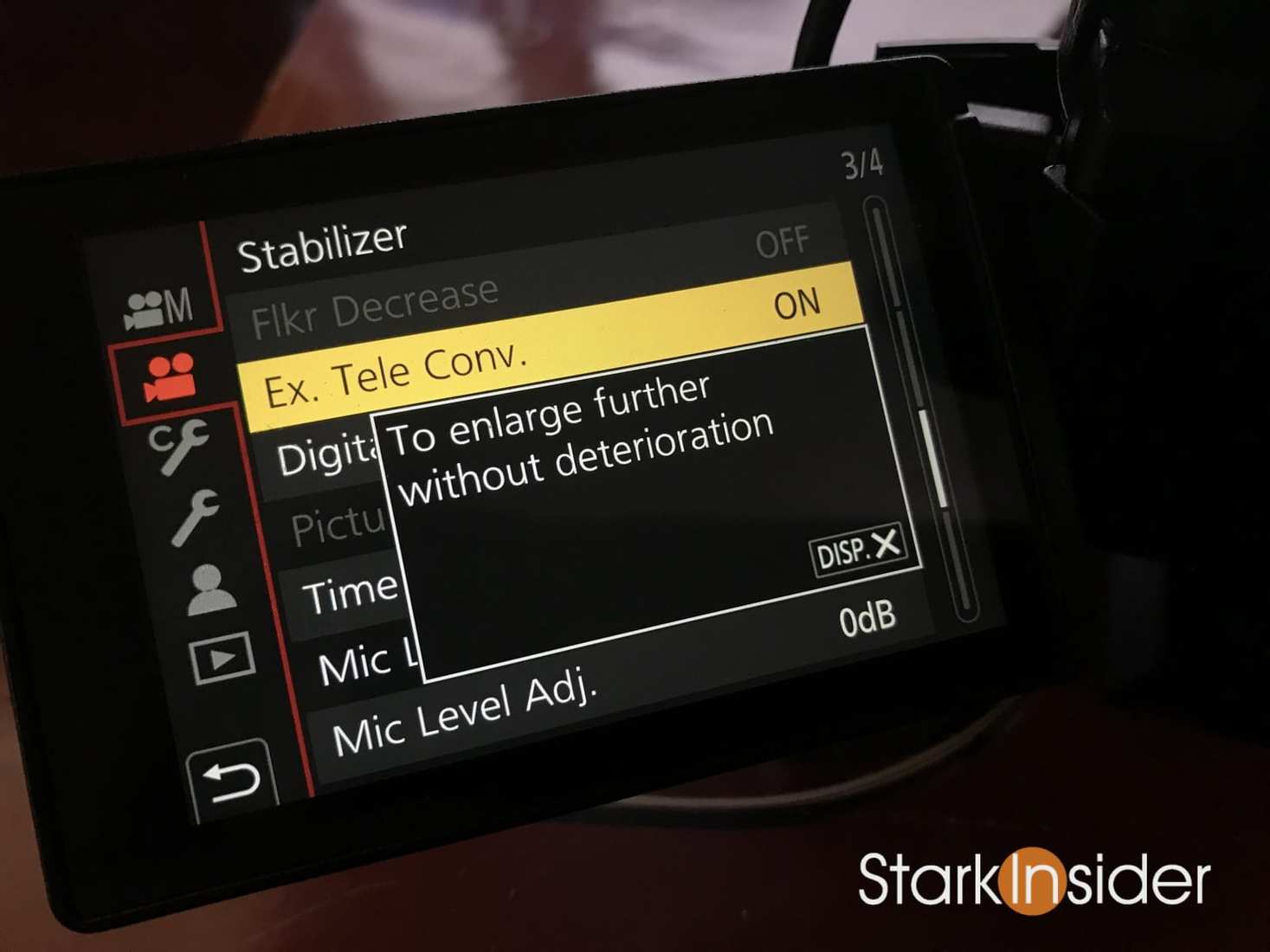
Buried in the many (and often confusing) menus on the GH5 is something called “Ex. Tele Conv.”.

Look for it under the second menu (film camera icon) on page 3 (3/4).

Turning that ON instantly gives your lens an approximate 1.4x zoom. According to Panasonic it comes without image loss.

I’m no pixel peeper, but in my tests using it has not, to my eyes, compromised the image. I’ve written about this GH5 feature before on Stark Insider, and after shooting video here on the streets of Venice Beach in L.A. I have to say it’s yet another handy little feature that makes the GH5 so versatile.

GH5 Shooting Video Tips Ex Tele Conv Function
Ex. Tele Conv. feature on the Panasonic GH5. Turn it on and your lens will get 1.4X zoom without image loss. Very handy!

The great thing about this feature is it means that you can extend the range of the lens without stopping to swap it out. Needless to say this can be a monumental time saver.

To make the “Ex. Tele Conv.” feature — catchy name and all — readily at a moment’s notice, I suggest you assign it to a custom button. That way you don’t need to dig through the menu systems to turn it on or off.

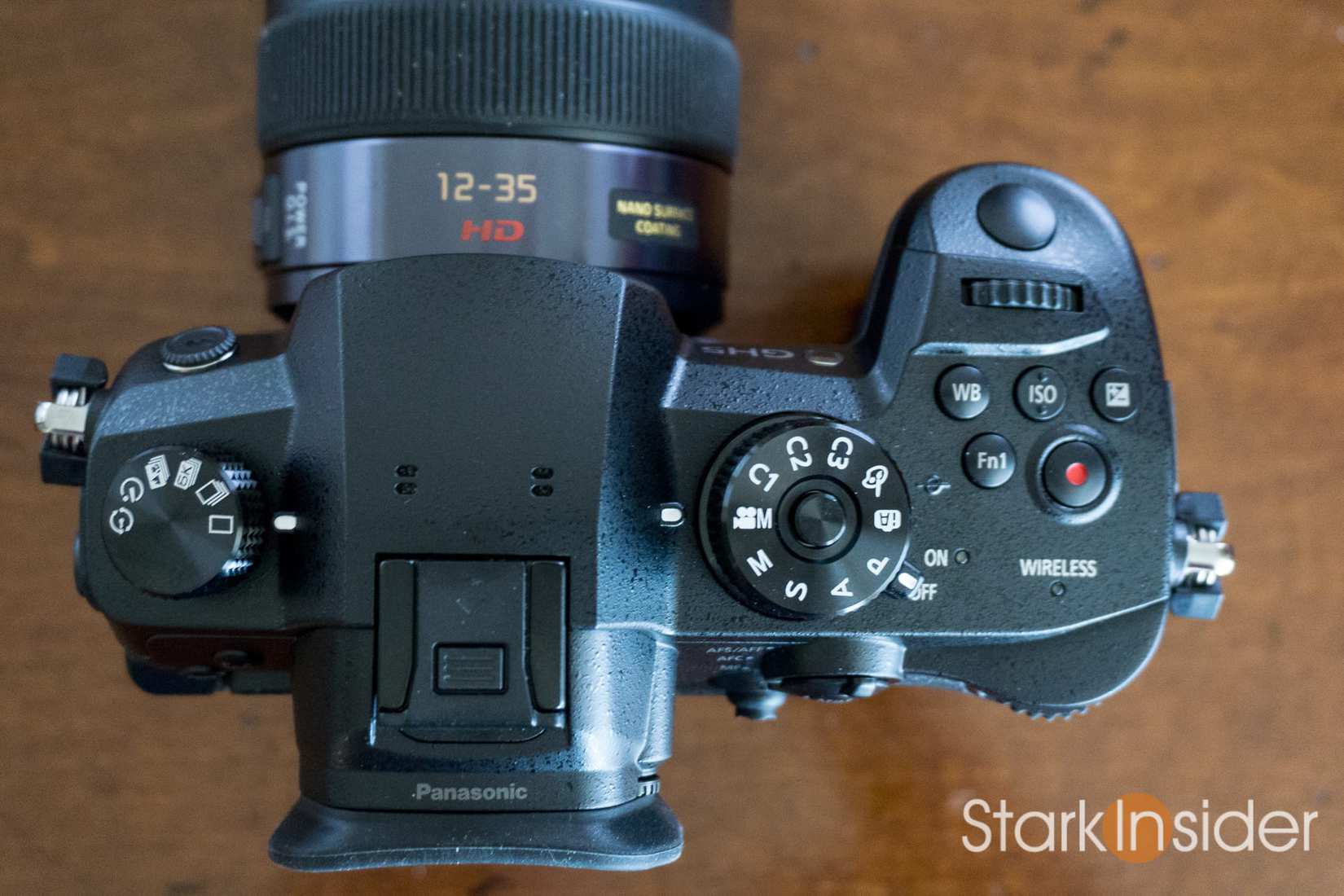
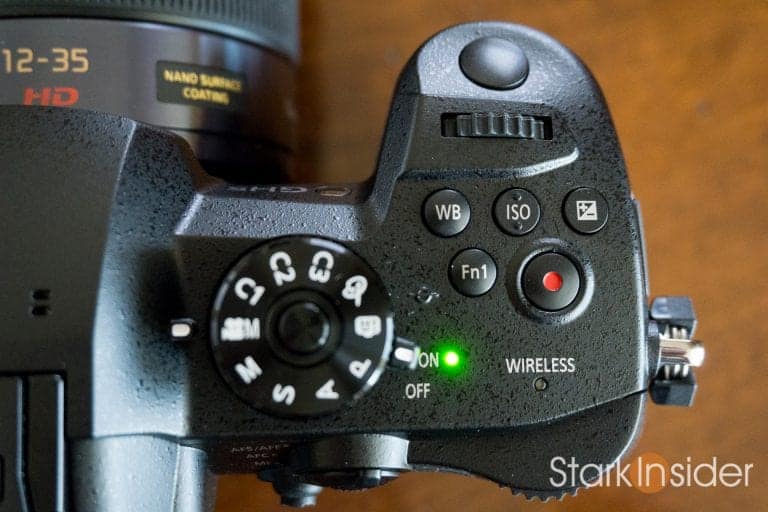
On my GH5 I’ve assigned it to the Fn1 custom button:

Panasonic Lumix GH5 First Look Review - Top of camera
I assigned Ex. Tele Conv. to the Fn1 custom button (top right). There I don’t need to dig through the menus to activate the feature for an on-the-fly 1.4X zoom. Often it saves from having to swap lenses when trying snag some b-roll.

It’s on the top right of the camera where your right hand naturally falls and is close to the record button, so placement is near perfect, at least in my experience.

Panasonic Lumix GH5: Articles, news, tips, reviews, videos by Clinton StarkPanasonic Lumix GH5: Tips, reviews, news, videos
By Clinton Stark

Panasonic Lumix GH5 with Rokinon 35mm lens - awesome
Panasonic Lumix GH5 with Rokinon 35mm lens and DIY Refn LED light.
  • GH5 Round-Up: Sigma 18-35, Ninja Inferno, video samples, Rode mic, best lenses
  • Best Lens for Panasonic GH5 Video Shooters: Sigma 18-35mm ART f/1.8
  • Atomos Ninja Inferno: An excellent monitor & 4K recorder for the Panasonic GH5
  • Best Camera Gear: Top 5 lenses for shooting video with the Panasonic GH5
  • Video Shooting Gear Test: Panasonic GH5 + Metabones Ultra + Sigma 18-35mm

Once assigned to that button (or whichever you prefer) to activate simply do this:

  • Press custom button assigned to “Ex. Tel Conv.” (.e.g Fn1)
  • A menu overlay appears
  • Push the same button a second time — this will switch the setting from ON to OFF or vice-versa
  • Press set on the back of the camera (or half press shutter button) to confirm the setting
  • That’s it, you now have 1.4X punch-in without image quality loss available at your fingertips

Sometimes in life as a video shooter it’s the little things. Get to know your GH5 and tweak a little at a time and soon enough it’ll feel like your favorite pair of old worn jeans.

Happy shooting!

Buy/Research:

  • Panasonic GH5 Body 4K Mirrorless Camera, 20.3 Megapixels (Amazon)

Stark Insider Recommends: Top 3 Accessories for the GH5

  • Rode Videomic Pro R
  • Panasonic Lumix 12-35mm f/2.8 Lens
  • Neewer LED Light Panel
Tags:Panasonic Lumix GH5

Related Stories

Powered by the new Gemini 3 model, Nano Banana Pro was released today.

Nano Banana Pro: Google's Gemini 3 Image Generator Upgrade

Cameras & Filmmaking
Nikon ZR cinema camera – Nikon and RED collaboration featuring full-frame body with NIKKOR Z lens against cinematic red curtain backdrop.

The New Nikon ZR Ticks All the Right Boxes (Plus 1 Really Important One!)

Cameras & Filmmaking
Close-up of the Canon EOS C50 cinema camera body showing its RF lens mount and full-frame CMOS sensor.

The New Canon C50 Cinema Camera Ticks All the Right Boxes

Cameras & Filmmaking
Chantal Akerman’s Jeanne Dielman prepares a meal in real time in her minimalist kitchen

Will Generative AI Kill Slow Cinema?

Cameras & Filmmaking

More in Cameras & Filmmaking →

Clinton Stark

Filmmaker and editor at Stark Insider, covering arts, AI & tech, and indie film. Inspired by Bergman, slow cinema and Chipotle. Often found behind the camera or in the edit bay. Peloton: ClintTheMint.

Short Films
Loni Stark - A West Coast Adventure - A Lifetime in the Making - Stark Insider

Stark Insider
  • CULTURE
  • BEST OF AI
  • FILMMAKING/TECH
  • ATELIER STARK FILMS
  • HUMANxAI SYMBIOSIS
THE STARK COLLECTIVE
  • THE STARK CO
  • STARK INSIDER
  • STARKMIND
  • ATELIER STARK
© Copyright 2005-2026 BLG Media LLC. v2.10.3
  • Review Policy and Shipping
  • Privacy Policy
  • Contact
  • About