Skip to content
Stark Insider
  • Culture
  • Filmmaking/Tech
  • Atelier Stark Films
News Tech

Smart Home News: Spotify Free accounts now works on Google Home

BY Clinton Stark — 08.18.2017

Smart Home News: Google Home now supports Spotify Free music streaming

Good news. Today, free Spotify accounts are now supported by the Google Home hub.

That means even if you don’t pay for a Spotify subscription you can still enjoy one of the best music streaming platforms, even if it will be with some restrictions.

As you might expect, supported voice-activated commands are intuitive and include phrases such as:

“Ok Google, play Spotify top hits.”

“Ok Google, play my Harry Styles playlist.”

“Ok Google, thumbs up.”

In my brief test today all worked without a hitch — and I’ve got to say, the sound quality on the Google Home speaker is remarkably good.

According to CNET, the free Spotify service for Google Home users will be available in the US, UK, Canada, Australia, France, and Germany.

Keep in mind this is Spotify Free, and therefore limits apply. For example, you can’t specify a specific song, so something like “Okay Google, play Sign of the Times by Harry Styles on Spotify” will return a response telling you to upgrade to Premium.

With the Premium version you’ll get assorted perks beyond requesting a specific track, including the ability to download music (though not to Google Home of course), ad-free listening, and unlimited skips. Plus, you’ll get the highest quality stream available.

I’m a Google Play Music subscriber, but I do like the variety that Spotify provides. For a change of pace, I will just say “Ok, Google, play top hits on Spotify.” It’s a good way to add some energy to the work day.

How to connect your Spotify account to Google Home

Connecting Spotify to Google Home is easy. Following these steps:

  • First make sure you have a Spotify account (there’s no charge to sign up for Spotify Free)
  • Next, open the Google Home app on your phone
  • Tap the menu icon at the top left, and select Music
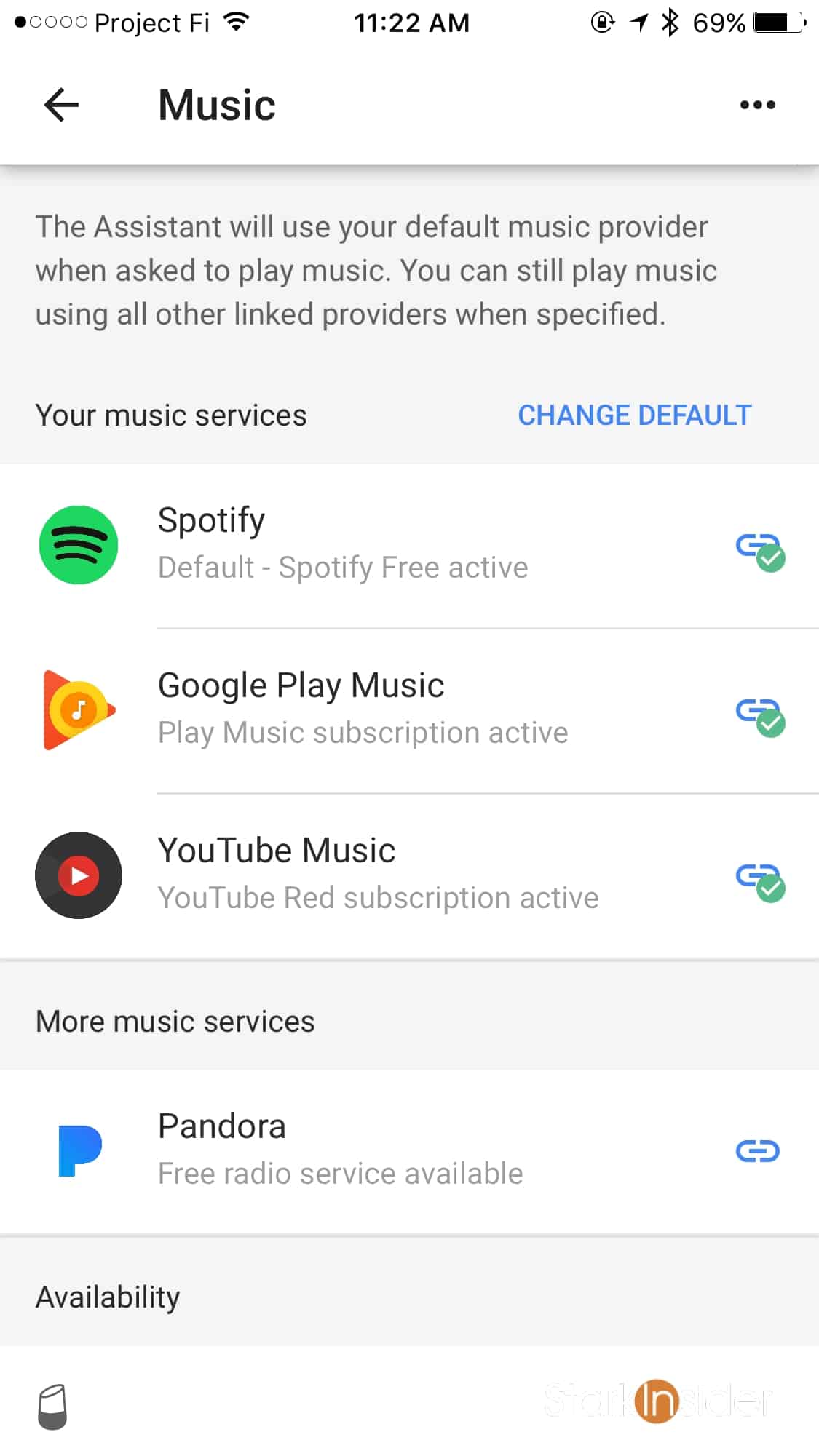
  • There you will see a list of all music services either linked to or available to Google Home
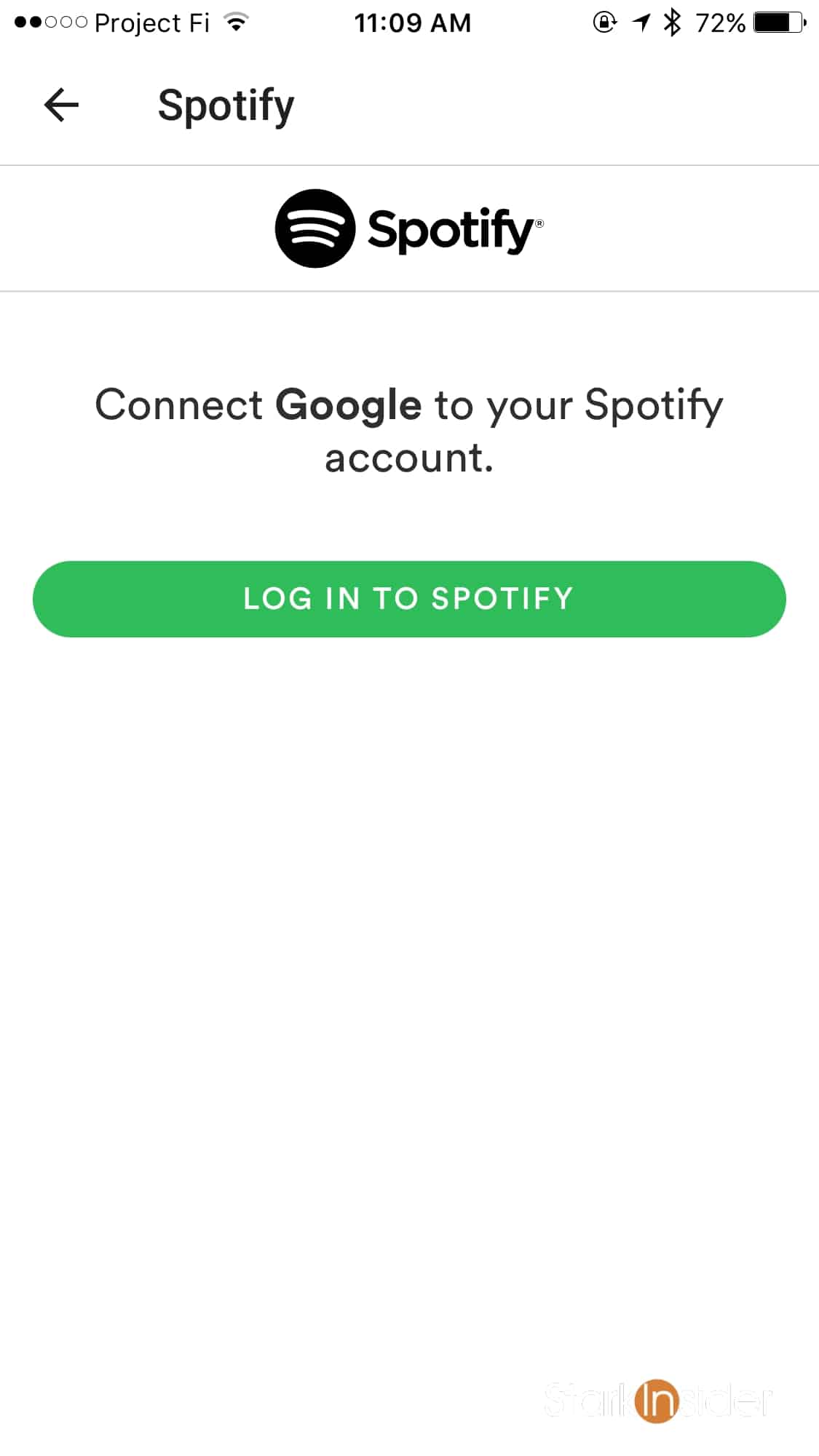
  • Choose Spotify
  • Enter your Spotify login information
  • If all worked well, you’ll now see Spotify listed as a linked music service — you can tell by the green check mark
  • That’s it! See photos below for more details
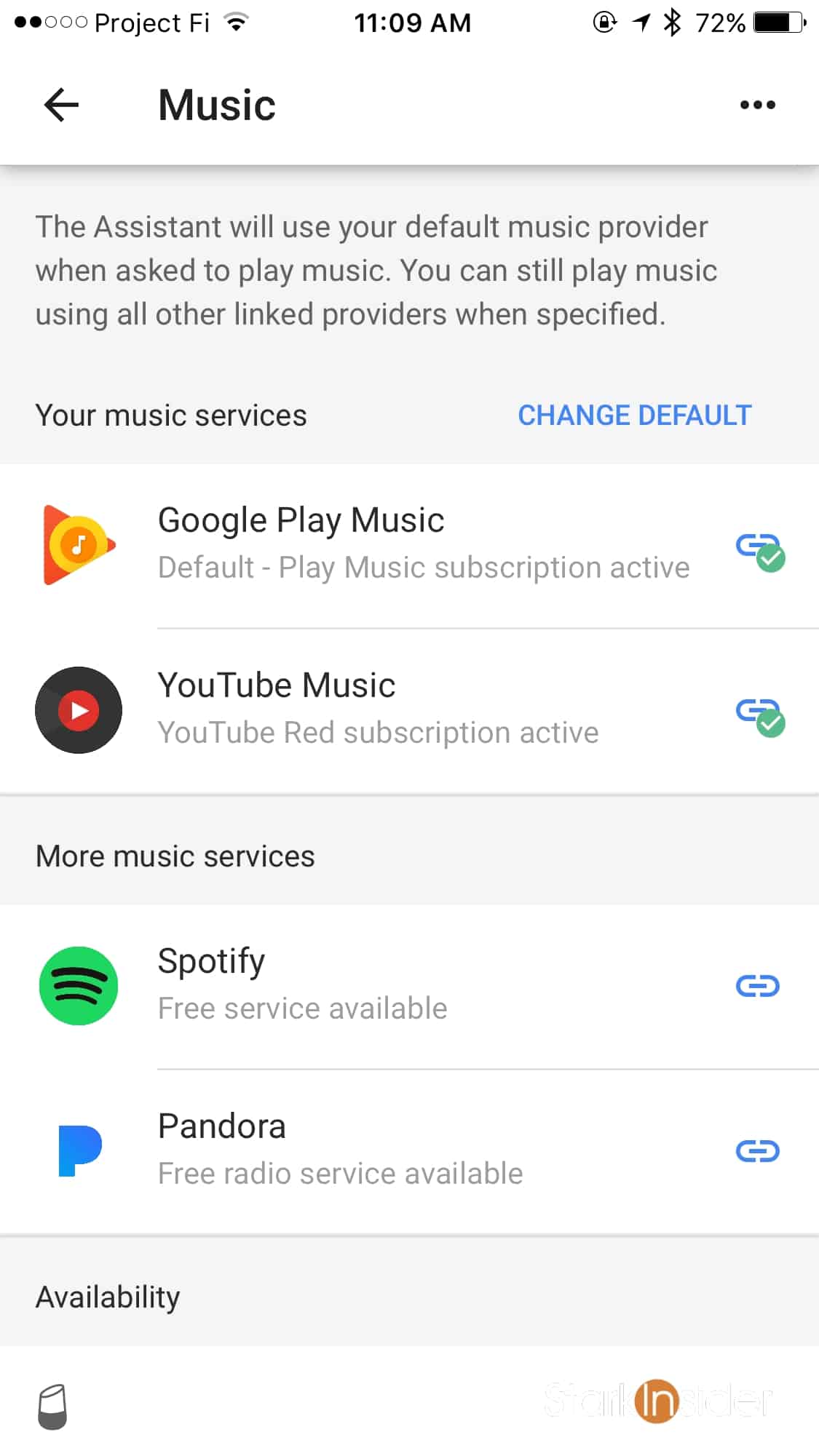
How to link your Spotify Free account to Google Home instructions
Tags:Amazon Amazon Alexa Apple Google Google Home Smart Home

Related Stories

Which Molty blind LLM study: a four-week single-blind crossover experiment testing whether users can detect the language model powering an always-on AI agent when the memory system stays constant. Results show no statistically significant difference across MiniMax M2.7, Kimi K2.5, GLM-5, and Gemma 4 31B.

Which Molty? Our Blind LLM Study Says Memory Beats Model

News
2026 Artificial Intelligence Index Report from Stanford HAI

Stanford's 2026 AI Index: Where AI Actually Stands (report)

News
Split-screen graphic showing Anthropic Cowork local file system and Google Personal Intelligence cloud services converging into the Integrated Personal Environment IPE.

Google and Anthropic Just Validated the IPE. Now Comes the Hard Part

News
Trifole film truffle hunting Piedmont Italy white truffles foraging tradition Gabriele Fabbro

Trifole: A Lyrical Journey into Italy's Ancient Truffle Tradition

Film Reviews

More in News →

Clinton Stark

Filmmaker and editor at Stark Insider, covering arts, AI & tech, and indie film. Inspired by Bergman, slow cinema and Chipotle. Often found behind the camera or in the edit bay. Peloton: ClintTheMint.

Short Films
Loni Stark - A West Coast Adventure - A Lifetime in the Making - Stark Insider

Stark Insider
  • CULTURE
  • BEST OF AI
  • FILMMAKING/TECH
  • ATELIER STARK FILMS
  • HUMANxAI SYMBIOSIS
THE STARK COLLECTIVE
  • THE STARK CO
  • STARK INSIDER
  • STARKMIND
  • ATELIER STARK
© Copyright 2005-2026 BLG Media LLC. v2.19.0
  • Review Policy and Shipping
  • Privacy Policy
  • Contact
  • About