
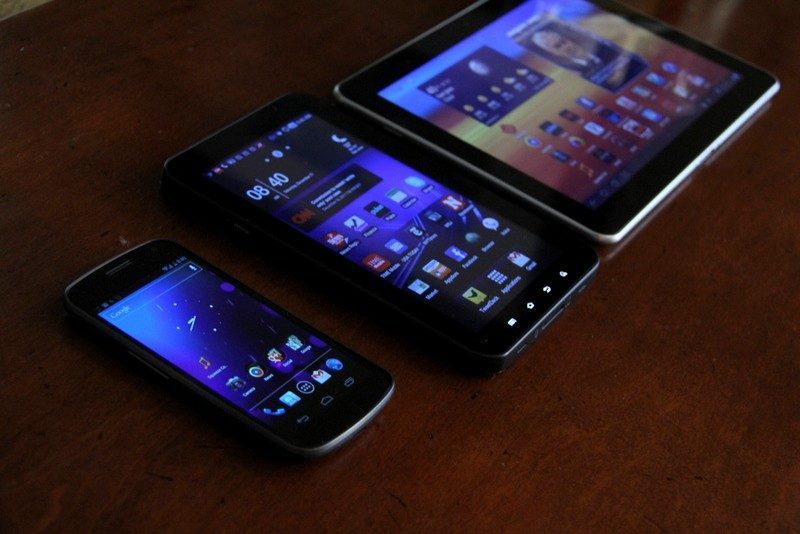
Everyone’s talking about the Samsung Galaxy Nexus, Google’s new flagship Android. After spending a few days with the phone, here’s 10 things I love about Nexus and think you will too (if you haven’t yet bought one that is). Also don’t miss: after upgrading from an OG Moto Droid I posted my first impressions of the Nexus.
Sporting a sexy design with curved glass, a crisp 4.65-inch display, and wicked fast 4G LTE on Verizon, it’s stolen the hearts of us Androids. I know of at least three or four iPhone converts too. That’s not surprising, really given the relatively lackluster 4S launch and the one-size-fits-all (3.5-inch) approach Apple has taken (one that I suspect will change in 2012 with multiple display sizes for iPhone and iPad).
Most importantly, the curvaceous Nexus is the first to run Android 4.0, aka Ice Cream Sandwich (ICS). Think of it as Android all grown up, dressed to impress. Refined, slick and pretty are not words you’d normally associate with Google’s market leading OS. But with ICS they’re absolutely appropriate descriptors. While not everything is perfect (and I’ll have more on that in the coming days), this is a welcome improvement. Google’s new design aesthetic recently seen across refreshed apps and web properties is really growing on me; ICS too benefits from a consistently clean, simple user experience.
Both the hardware and software have been receiving plenty of headlines, many of them earlier focused on the somewhat confusing launch. However that’s all behind us. Nexus has landed just in time for the holidays, and now it’s time to celebrate.
Here’s 10 things (in no particular order) that I think you’ll love about Nexus and ICS. Be sure to stick around for an interesting twist at the end of this post.
1. Notifications – Best in the business
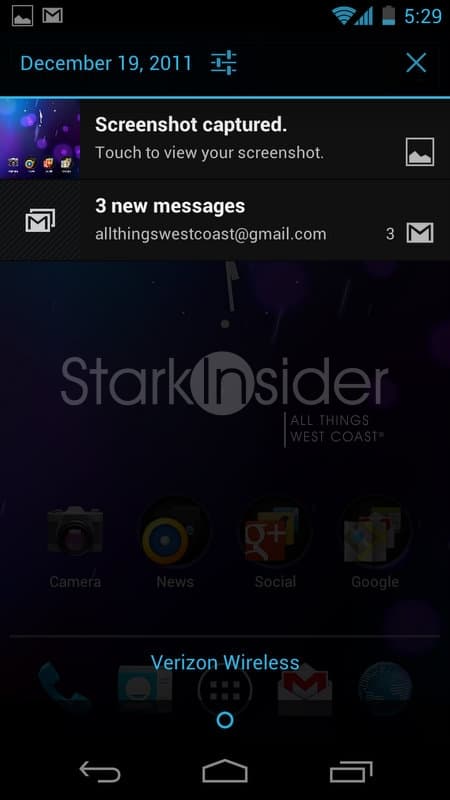
It just keeps better and better. Android has always had the best notification system, handily besting Apple’s intrusive and awkward pop-up model. All the trademark features are here: pull down notification screen, small alert icons at top left, and customizable flashing LED/sounds. But it works even better in ICS. It’s fast and easy to scan. Thanks to gorgeous, deep blacks, images really pop. Clicking a notification–email, Facebook update, missed call–takes you to the app in question. Not earth shattering, but well executed and another reason why Nexus is a pleasure to use.
2. Curved Glass – Just because
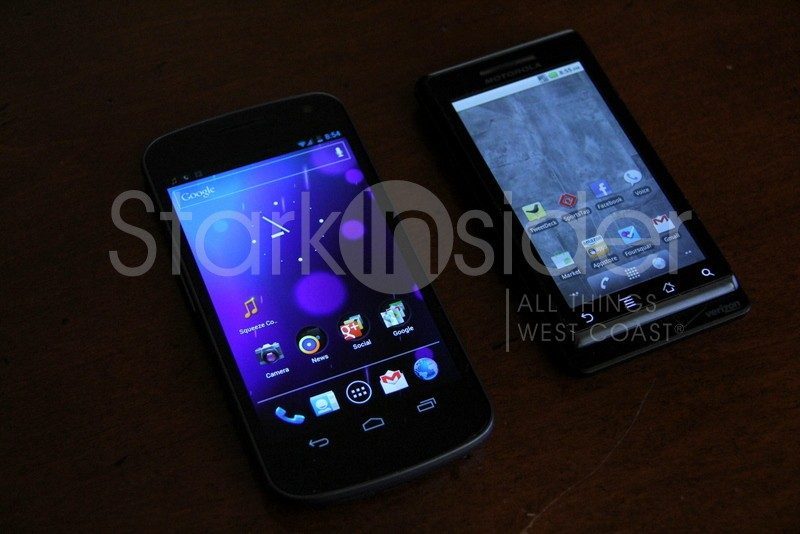
Does the curved glass really make Nexus more comfortable for phone calls? I’m not so sure. Comparing it to the also superb Motorola RAZR Droid and Samsung Galaxy S II, I didn’t really notice it much. But, it makes for good marketing copy, and makes Nexus stand out from the Android crowd. Why? Just because.
3. Folders – Superb implementation
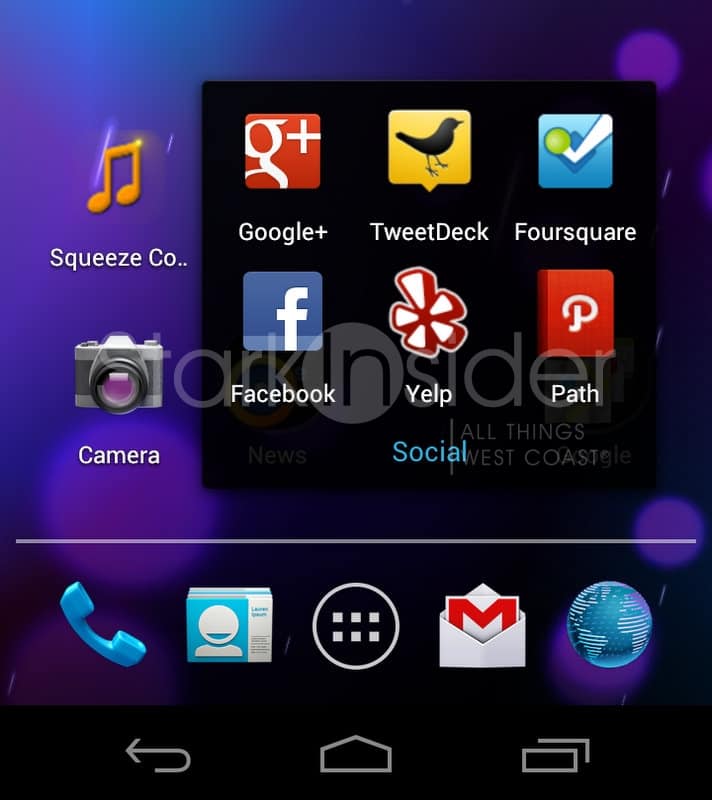
Again, sometimes it’s the little things. In this case: an important feature that helps you stay organized. To be fair, this is an area where Apple has had a leg up on Google; somewhat surprising given Android’s emphasis on flexible home screen customization. ICS levels the playing field. Want to organize all your social apps? Just drag Foursquare onto Facebook and a folder is automatically created. Name it and you’re done.
4. Social Integration – Nexus “gets it”
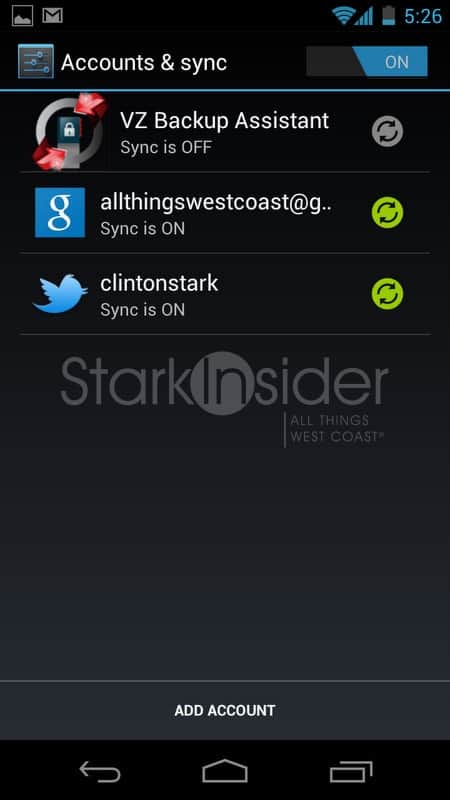
Google+ is everywhere on Nexus/ICS. But so too are Facebook and Twitter. If you want them to be. (one thing I don’t love so much: my Facebook account refuses to sync. I click Add Account. Then choose Facebook. But Nexus returns me to the screen you see above… that’s one way to give G+ an advantage…)
5. Meet Roboto – Slick new default font
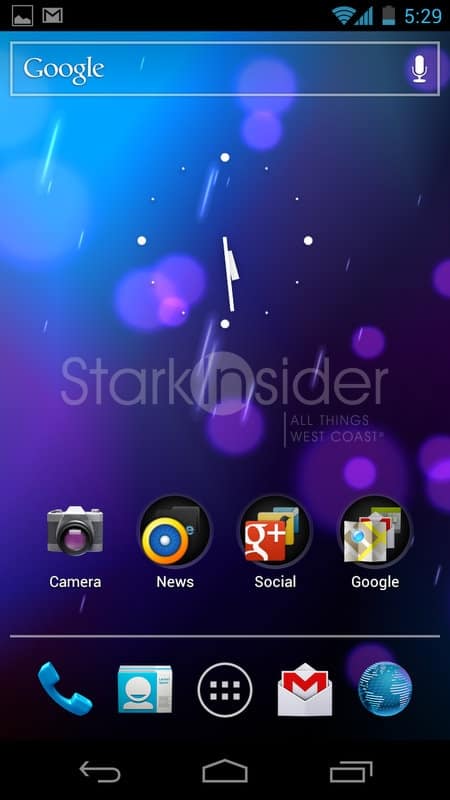
Android has always had that futuristic vibe. It’s still there with ICS. But picture Captain Kirk in a tux… that’s Roboto (note: now accepting better analogies…).
CONTINUED: 10 Things You’ll Love About Galaxy Nexus and Ice Cream Sandwich …
6. That TV power off effect – Hey, it’s retro cool!

It’s hard to capture in a photo. Remember when an old TV set powered down? The picture would zap down into a horizontal line before fading away. Well, get your retro on… every time Nexus goes to sleep you’ll get a bit of throwback.
7. Data usage report – Okay so it’s not all fun and games
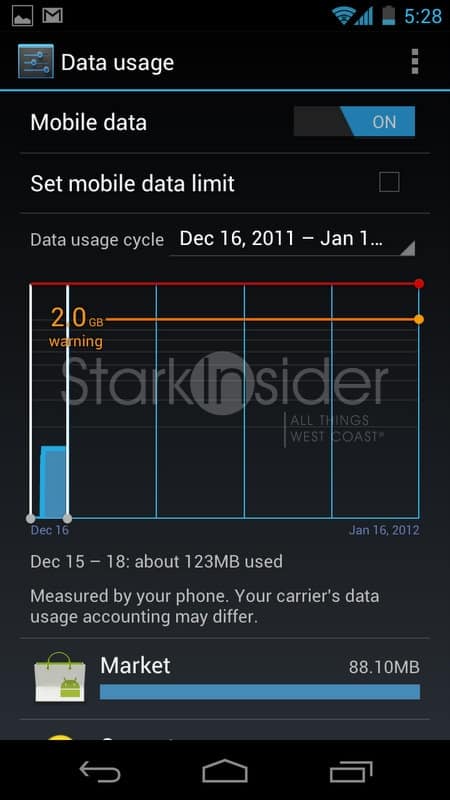
One of my biggest concerns upgrading from my trusty OG 3G AA !! Moto Droid to 4G Nexus was my unlimited data plan on Verizon. Yes, it was grandfathered. Relief. For those that are capped (and it’s probably not a big deal if you don’t suck down videos or torents on the road), you can monitor your useage, with this helpful report in the settings menu. It likely gives you a good idea of your blood pressure too.
8. Those three little dots…
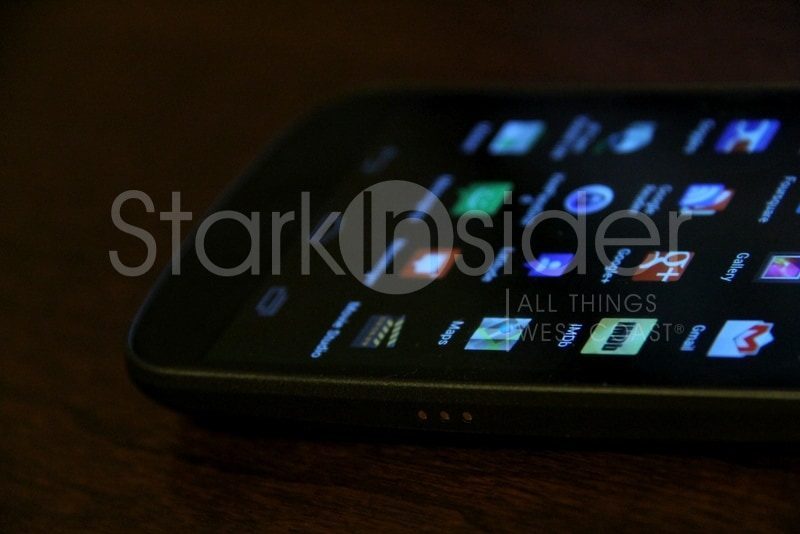
… are obviously some type of data interface. Way, way better than using a micro-USB port to dock–car mount, charging cradle, etc. One concern I have though is none of the accessories I’ve seen so far utilize it. Why?!
9. Usable ringtones – With apologies to Robbie Williams
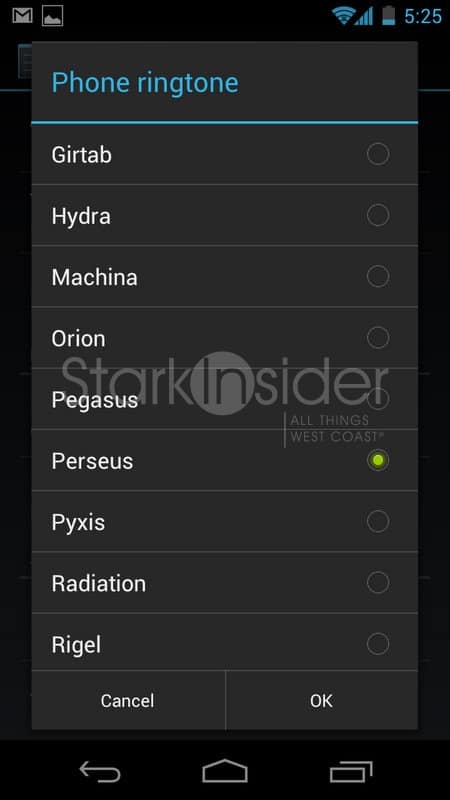
Nexus may well be the first phone I’ve used in recent memory where I haven’t felt the need to immediately go to some strange, ad-sense infested web site in Russia to download better ring tones, like Robbie William’s Millennium.
10. Customizable home screens – Order to size
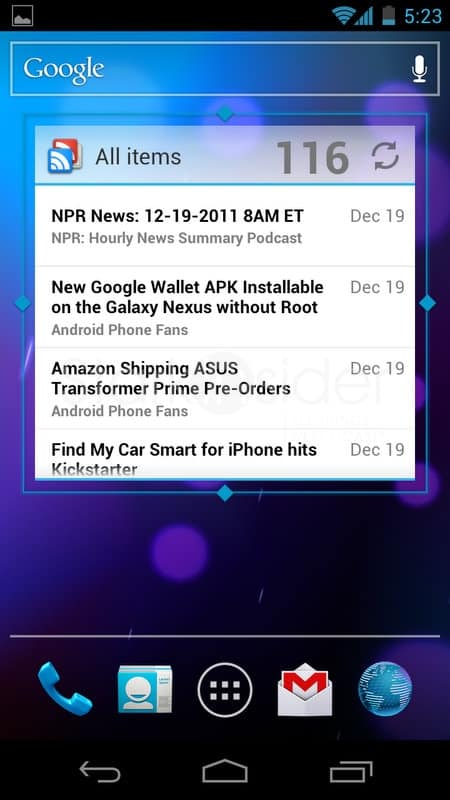
Nobody does it better. In fact, nobody does it, except Android (quick prediction: that will change in 2012 with big-time iOS updates). Customizable home screens have been a long time calling card for Android, and the tradition continues. With ICS you can still drop on widgets, but now–like we saw on Honeycomb–they can be resized to your heart’s content. Swiping across the 5 default home screens is bliss; there is no lag, and everything is lickety-split quick.
Bonus: Soft keys – Future design, here and now

We first saw them on Honeycomb, Google’s tablet edition of Android, and now soft keys have made their way to the phone as well. Expect this to be the norm. Not just for Android smartphones but all smartphones. Instead of hardware buttons, Nexus has three icons–back, home, switcher–at the bottom of the screen. The implementation on ICS is not perfect. Sometimes a soft menu key will be at the top of the screen, other times at the bottom. Other inconsistencies abound, possibly confusing new users. This is a feature in transition; as physical buttons go the way of the dodo this will only get better with age. Note: that’s the family friendly “Elf Advent(ure)” app.
… And about that Twist I mentioned earlier…
So why then am I thinking of not making Nexus my go-to Android phone? For a few reasons: battery life is not great (true of all 4G LTE), the camera is poor, and I still prefer the thin design of the RAZR when all is said and done. But here’s the biggest reason I might wait it out: I have this sinking suspicion we will see at least one or two killer quad-core Android phones announced a CES in just a matter of weeks. But, you might say, the waiting game in tech is impossible to win. Yes, but if this Android is going to stick with me for 2 years, I want it to have as much horsepower as possible. Dual-core is on the way out. Quad-core is just around the corner… or so I’m guessing.
UPDATE 12/20/2011: Why I returned the Samsung Galaxy Nexus