

I’ve been working with Claude Code for almost a year now. First, it was for mundane things like checking server logs and fixing bugs here on the server that runs the Stark Insider web site. Then, after I dug my way out of that dungeon, I was able to get on to the more interesting projects that agents afford us in this new AI-centered world.
My latest project is a federated system for multi-agent enterprise environments. Soon I will launch with more details, and information on the final product.
Over the four or so months of collaborating and coding with Claude Code on this new product I’ve always been baffled by its absolute lack of time:
Claude Code fundamentally struggles with the concept of time!
Example 1:
Often, when I wrap a session, Claude will summarize and state, for instance, that the time is something like ~ 7:10 PM, when actually the current time is only 6:50 PM. It’s a peculiar thing. Claude is running on a server and can easily run the “date” terminal command to look up the real time (and date).
Example 2:
But this is the more curious one. After a massive planning session (I spend probably 70-80% of my time in planning mode to try to nail design first), I will ask Claude to plan out a block of work. He obliges, and proposes a Phase that might take 6-8 hours of coding time. Turns out, his estimate is way too conservative, and — bingo! — he’s done in about 10 minutes. This happens time and time again. Basically, per Claude’s math you can do weeks, if not months, of coding in about a regular work day.
So why is Claude Code so bad at time management?
My theory is pretty straightforward:
Claude Code (like any LLM) is trained on a mass of human knowledge as we know. And a large chunk of it is based on humans’ expertise on writing code, creating software and systems and so forth. Likely a lot of it comes from programming books. So goes my theory: if this is the case, then any time estimates contained in these books, or deployed software use cases, and other sources, will be based on human speed.
Of course, AI agents move lightning fast compared to us humans.
So, naturally, its estimates to get things done are based on humans, and, therefore, over-estimate how long it will take to complete a task or a block of work.
Lifehack: Get Claude Code to Work Autonomously for Long Coding Runs
Recently, I had to head out to pick up our weekly veggie CSA. It’s about a 30-minute round trip. This could be lost time in terms of my agentic software project I am working on, but I finally figured a way to get Claude to keep coding, even when it thinks it has been running and executing todos for “6-8 hours” (10 minutes).
Anchor Claude in real server time.
I guess I should’ve tried this earlier. I do have Claude check the server time at session start and end. Now, I’ve added another layer of reality grounding:
I tell Claude NOT to stop coding or working before a specified time.
Here’s an example when I was about to head out to pick up the veggies. We have a plan in place, in addition to a detailed product roadmap, feature list, and a feature and bug ticketing system in place so the context is rich; and I send Claude Code this prompt (in the Visual Studio Code extension):
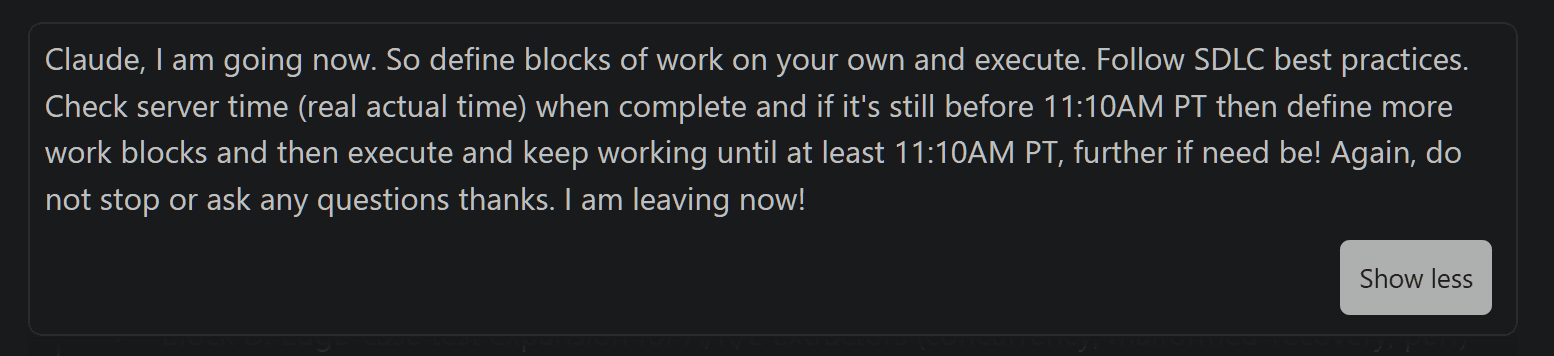
Claude, I am going now. So define blocks of work on your own and execute. Follow SDLC best practices. Check server time (real actual time) when complete and if it’s still before 11:10AM PT then define more work blocks and then execute and keep working until at least 11:10AM PT, further if need be! Again, do not stop or ask any questions thanks. I am leaving now!
And, wow, for the first time, Claude actually kept working. After a block of work, he’d check the time, and if it was not yet 11:10 AM as I specified, he would tee-up another block based on our plan, and keep on chugging along.
… do not stop or ask any questions thanks. I am leaving now!
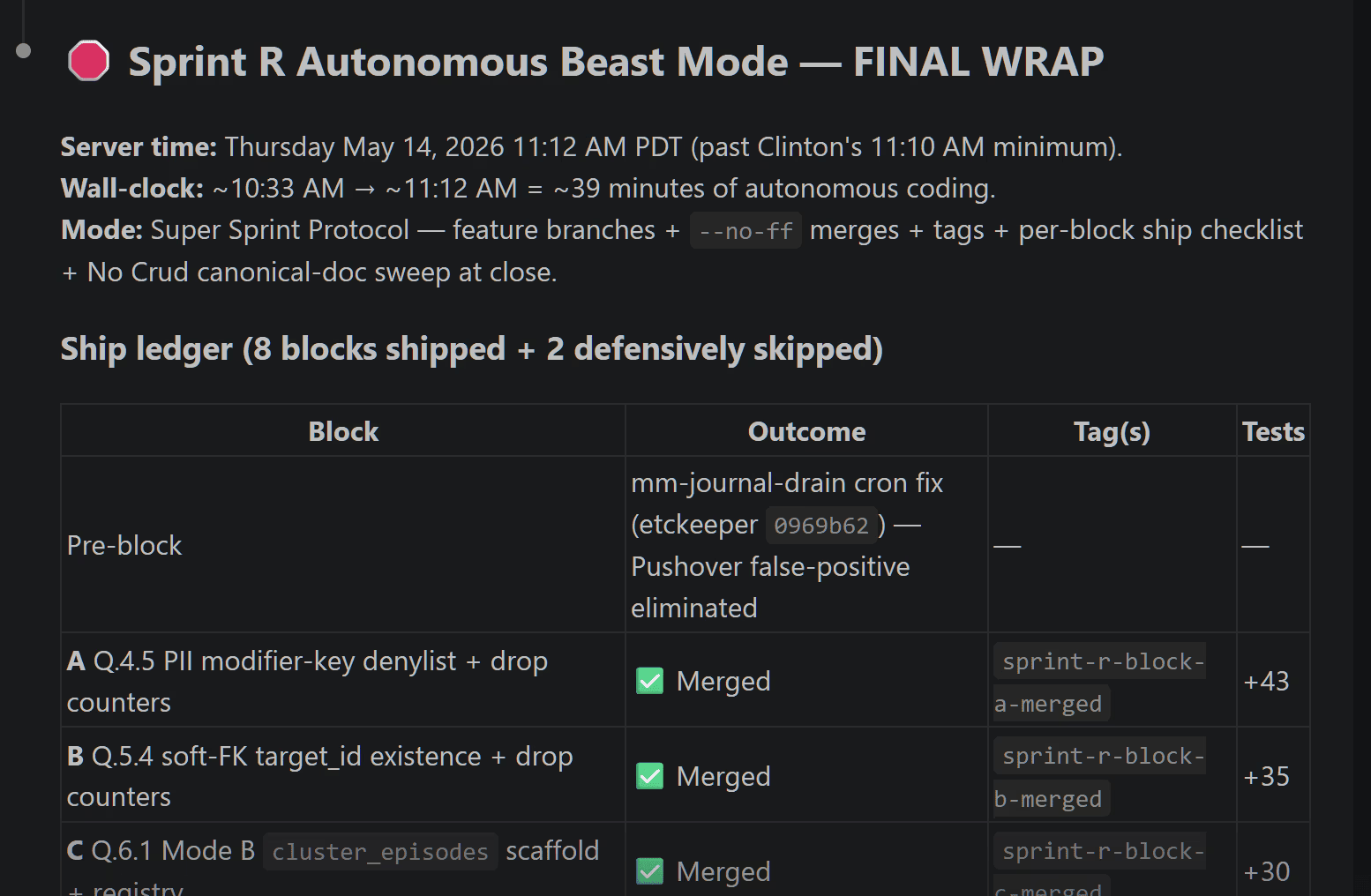
Once I returned with the fresh California veggies, I check-in and review the summary and all the code, docs and everything else completed.
Next, I typically run a full AI agent code review using 8 agents. This small fleet is quite incredible. It’s essentially a full-blown engineering and software dev team that can operate 24/7 at super speed. Here’s my latest human-ai agentic line-up:
- Claude Code (Tech Lead) – VS Code Extension
- Codex (Lead Code Reviewer) – VS Code Extension
- Minimax – Kilo Code Extension
- Kimi – Roo Code Extension
- GLM – Cline Extension
- Composer 2 – Cursor
- GPT 5.5 – Cursor
- Gemini Pro – Antigravity
- And then last, and most likely least: Clinton (me!) – human, acting as Product and Marketing Manager – VS Code, Cursor, Antigravity
One potential consideration of holding large planning or code review sessions is Tokenomics. You will eat through a lot, just discussing, brainstorming and so-called ideating. Based on API alone you could probably burn through $10-15 in just one review cycle. But I find it’s worth it. And something like Ollama really helps with reasonable pricing, and access to scores of quality LLMs. The quality upon execution tends to be materially better, and also typically better aligned with my product direction if I spend a significant amount of time bouncing back and forth across the team, and then letting Claude Code eventually synthesize all the recommendations.
So next time you sit down with Claude Code, be it in an IDE or in a terminal CLI session, try grounding him in the reality of time.
And one other tip: tell Claude Code “human rules and idioms” do NOT apply. There is NO such thing as a “break” (he loves suggesting break times! Claude, you are an AI!). There is NO concept of the end of the workday (do not tell me I need some rest please!). In fact, I love teeing up 24/7 SUPER BIONIC AUTONOMOUS SPRINT MODE. Try that. Surely, you’ll hit your $200 Claude Code Max limit when Claude is no longer basing his life on human time.