
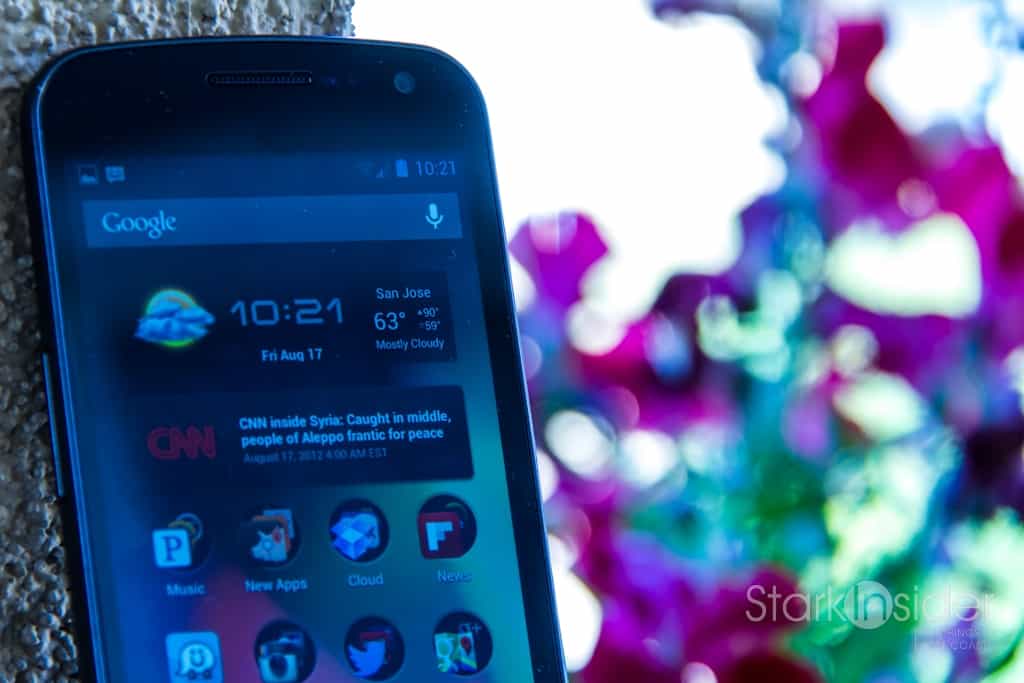
Alright, yes I admit, it’s a slow news day. Here we are on a Friday, during the dog days of summer, and I’m about to tell you about some of the best weather widgets for Android. Believe me it’s far more interesting then using SigFig to see how my FB stock is doing.
Don’t ask me why I’m obsessed with searching out the very best weather widgets. That I’ll never understand. Maybe it’s because I like assessing aesthetics, or just moving widgets around on my (unlocked, but of course – see: Yes it can go toe-to-toe with the S III) Galaxy Nexus and watching Jelly Bean (Android 4.1) automatically shuffle them around (brilliant).
My only other inexplicable mobile app obsession that comes remotely close is comparing Android Twitter clients. For now, UberSocial and the native Twitter clients are tops.
Without further ado, here are the best Android weather widgets.
Winner: HD Widgets
[Download: Google Play Store]

It’s not free, but if you want lots of flexibility, including several widget sizes (1×1, 2×1, 4×1, and 4×4) and the ability to customize colors and layout then you really can’t do much better than HD Widgets.
You’re likely to find exactly the format you want.Options abound including widgets that feature just the current weather, or weather + 3 day forecast, or weather plus clock. You could spend hours testing out all the variations. There’s even a full screen widget that might remind some of HTC Sense.
Tapping the time on the widget brings up the Android clock.
Tapping the weather brings up an aesthetically pleasing (important that!) full screen snapshot. One nice touch that I haven’t seen on others is the ability to choose weather service. WeatherBug, AccuWeather, Google Weather and Weather Underground are all here. Nice.
It’s also worth noting HD Widgets looks great on a tablet. On my Galaxy Tab 10.1 the graphics are sharp and — this sounds odd to say — gorgeous. If you have a 10″ tablet you’ll also get more widget options including 4×7 half page, 8×1 small header, and 8×2 large header.
When it comes to all things Android weather, HD Widgets is as good as it gets.
And, the runner up:
Runner Up: Beautiful Widgets
[Download: Google Play Store]

If I recall correctly Beautiful Widgets was the first ever purchase I made on the Android Market in 2009 using my then stunningly cool Motorola OG Droid. This was the defacto weather widget back in the day, though the Play Store is now more competitive and there’s lots of options. There’s a lot of customization and sizing options here too. Dig in.
There are 14 — count ’em, 14! — widgets available with Beautiful Widgets. Like HD Widgets, there is also a toggle switch which allows you to siwtch wi-fi, bluetooth, gps etc. on or off. You can choose AccuWeather or Google Weather.
Again you can go crazy with customization. The “SuperClock” widget is a nice all rounder, and again evokes that HTC Sense vibe. The weather forecast popup screen even features slick animations (requires a separate download). Throughout, left/right swiping is supported, giving this app an extremely polished feel. BW runs neck and neck with HD Widgets. You can’t go wrong with either.
Honorable Mention: Go Weather EX
[Download: Google Play Store]
Go Weather is worth your attention too. This is the freebie of the lot, but it doesn’t skimp on options. I like the classy, transparent look of the 4×2 widget. Also many of you are likely familiar with the excellent Go Launcher for Android.
Did I miss your favorite, or have you discovered something new and great? Let me know in the comments. Meantime, let that sun shine in!