
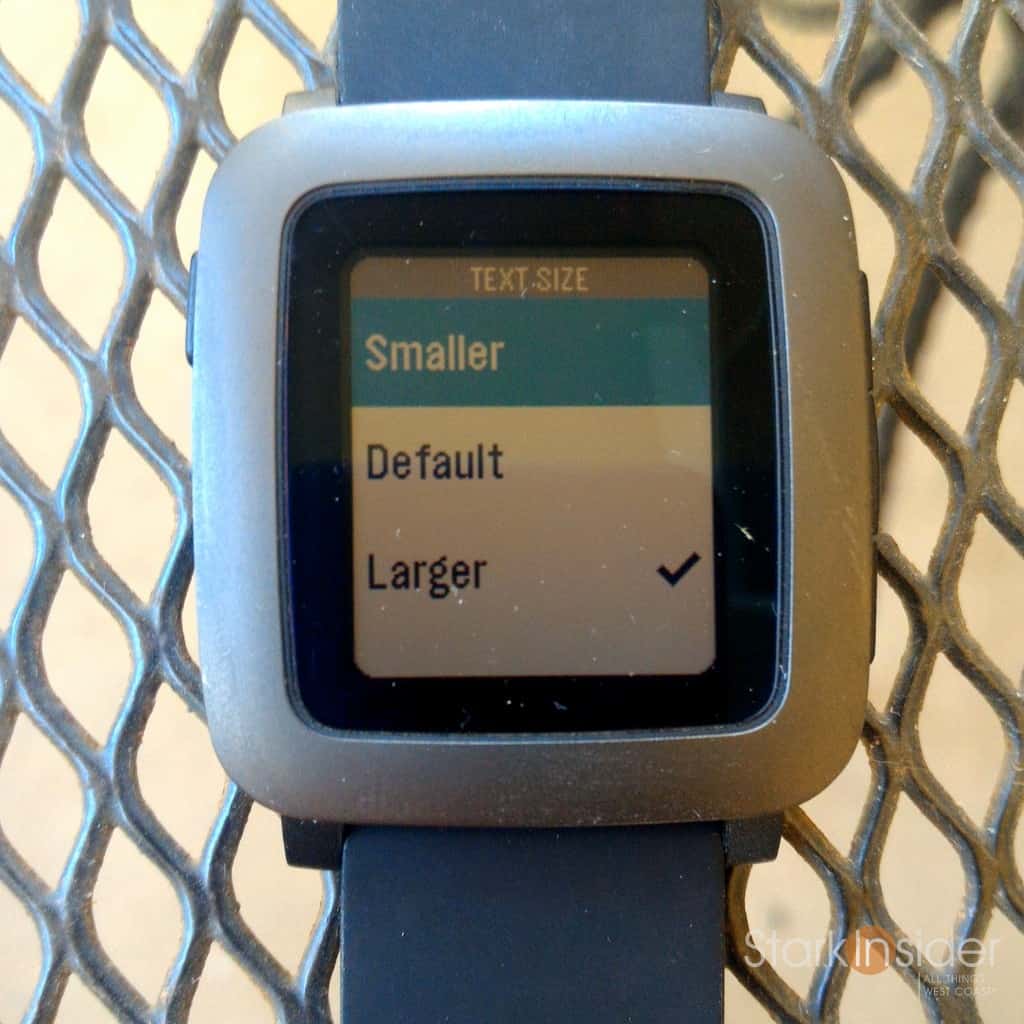
It might not seem like much, but the latest Pebble firmware update is on point (“Bigger, Brighter, Awesome-er”), and can dramatically improve overall user experience with the smartwatch.
Those of us longtime Pebble fans have been clamoring for a way to tweak various settings. As of firmware version 3.2, which rolled out yesterday, that’s now possible.
Pebble firmware 3.2 now allows the following settings to be personalized:
— Backlight intensity (on watch go to settings–>display): low, medium, high, blinding
— Backlight timeout (settings–>display): 3, 5 or 8 seconds
— Vibration intensity (settings–>notifications): disabled, low, medium, high
— Text size (settings–>notifications): smaller, default, larger
Impressive to see the Pebble team listening and responding to its customers. If you’ve read many of the Pebble forums you’ll see many of us requesting these features.
I downloaded 3.2 and updated my Pebble Time to give the new firmware a spin.
Everything worked as advertised. And, I’m especially happy to report that the brightness settings combined with an extended backlight timeout makes reading notifications much easier. In the past, the backlight would timeout very quickly. If you were in a dark room, it would be near impossible to read a notification before the watch face would go dark. Thankfully that’s no longer an issue.
No doubt, adjusting some of these settings will likely decrease battery life. In my view, a worthwhile trade-off, as Pebble already offers best-in-class time between charges (mine is typically 3-4 days).
In addition, Pebble has adjusted the default vibration to something less earth-shattering. Trust me, you would never miss a notification on Pebble. Receive a phone call, and your wrist will start shimmering and shaking like nobody’s business. Some in loud, busy outdoor environments might appreciate that. For me, I prefer a subtler vibration, much like Android Wear offers. Now with Pebble you can adjust the vibration intensity to something more discreet, yet still effective.
My initial experience with my Kickstarter Edition of the new Pebble Time was not the best. In my review I noted several deficiencies including a bad charging cable, easily scratched bezel, and Bluetooth disconnect issues. Most of those problems have been resolved, and you can read my review here on Stark Insider where I’ve been updating as I go.
Pebble Time Firmware 3.2 Release Notes
- New Backlight settings: Adjust intensity and time-out duration.
- New Font Size settings: Adjust the displayed font size in notifications, layouts, and other areas of the system.
- New Vibration settings: Adjust the vibration strength for notifications, incoming calls, alerts, etc. Default vibration setting is less strong than the previous default.
- Music (Android): Added support for most music players (e.g. Pandora, Spotify, Songza), improved display of track metadata, play/pause detection (app now displays separate pause and play icons to match current playback status).
- Notifications: A collection of improvements and fixes to enhance the notifications experience, including a new Dismiss All action.
- Bug fixes and stability improvements.
- To update: Select Menu » Support » Update Your Pebble within the Pebble Time app for iOS or Android.
Pebble Time App for Android 3.2.0 Release Notes
- NEW: Search bar to find saved apps and watchfaces in your My Pebble menu.
- NEW: Notification preferences are now preserved after updating the Android app to a new version.
- IMPROVED: Support for setting up long canned replies to notifications.
- Bug fixes and stability improvements to version 3.1.1.
- Download 3.2.0 from the Google Play Store.
Source: Pebble Blog