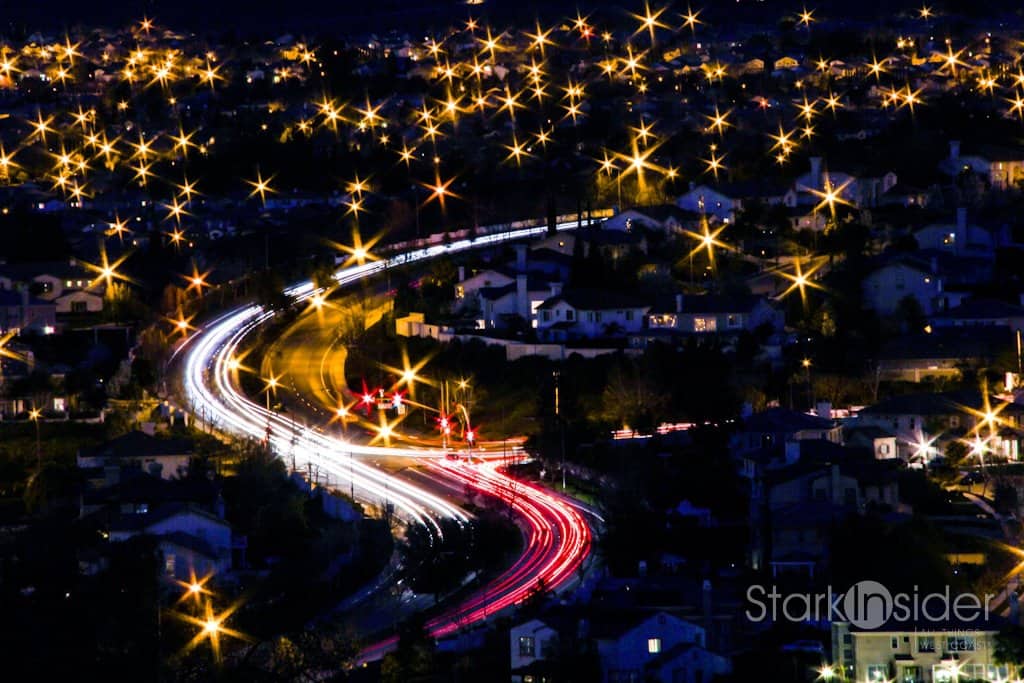
I’ve been using Lightroom 4 now for a few weeks (the final release is now available) and continue to find the results satisfying. Actually, beyond satisfying. Far beyond. Without a lot of time, I’m able to take simple photos and make them more interesting- well, at least I hope they’re somewhat interesting.
Here’s a recent example.
For some reason I have a fascination with shooting the skyline, streets and foothills here in Silicon Valley. This time I set-up the tripod, mounted the Canon EOS 60D, and played around with some slow exposure. As a kid, I remember creating ghosts using slow exposure. I would hit the shutter and run into the frame, then stand on one side for a few seconds, before moving a few feet over and waiting until the shutter closed. The result – which would come weeks later after film processing – was always entertaining, if not slightly eerie.
Before
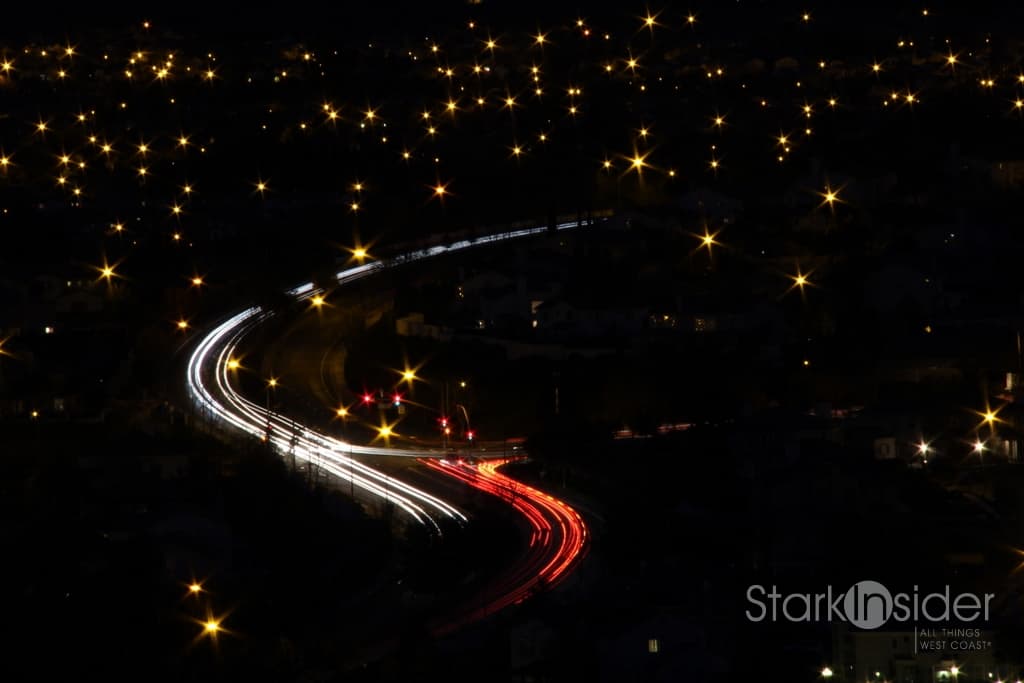
The before shot is okay. Nothing too catchy. I like the red and white streaks from the cars. But I wanted more drama. More sizzle; something you might see in a magazine, maybe related to an article talking about nightlife in San Jose or San Francisco.
Processing
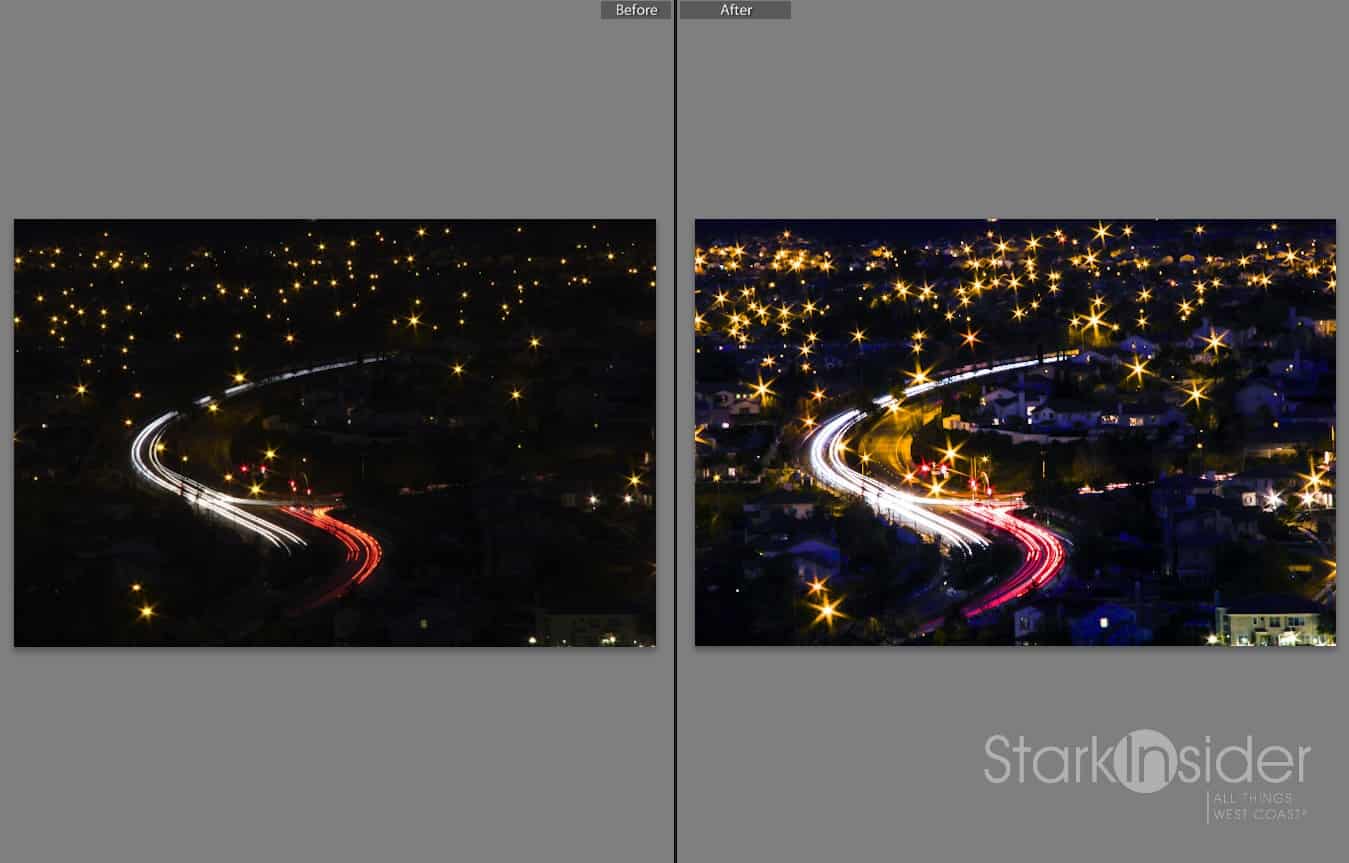
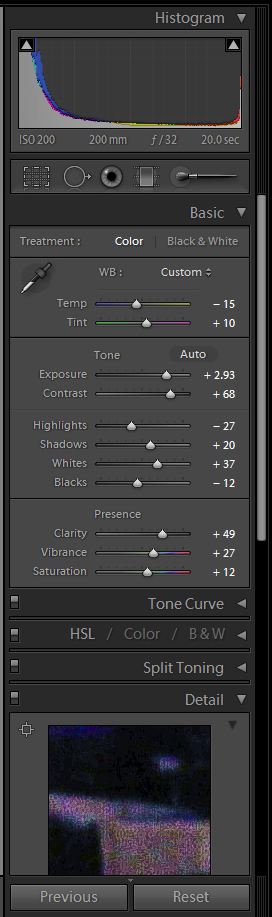
So I imported the file into Lightroom 4. Unfortunately I didn’t use RAW this time, so I was editing a hires jpg. This time I went extreme with the controls. Boosting the exposure (+2.93), and whites (+37), cooling the tone, adding more vibrance (+27). One of my favorite adjustments in the new version is the ability to use the “shadows” slider to bring out detail in the shadows. I went +20 with that – way more than I normally would. You can see some of the other settings in the screen shot of the controls at end of the article.
After
I’m generally pleased with the result. The colors really pop. There’s a lot of action, and drama. Neighborhoods are visible now. I like the contrast of the quiet homes, against the bustling streets. Not everything is perfect. There’s noise in the shadows; I likely boosted too much (capturing RAW would’ve helped). And the star bursts seen across all the street lights might be a bit much. Still, I was going for over-the-top. There’s room for improvement and further learning. Isn’t that always the case with photography?